How to Send Flash SMS: A Complete Guide for Businesses
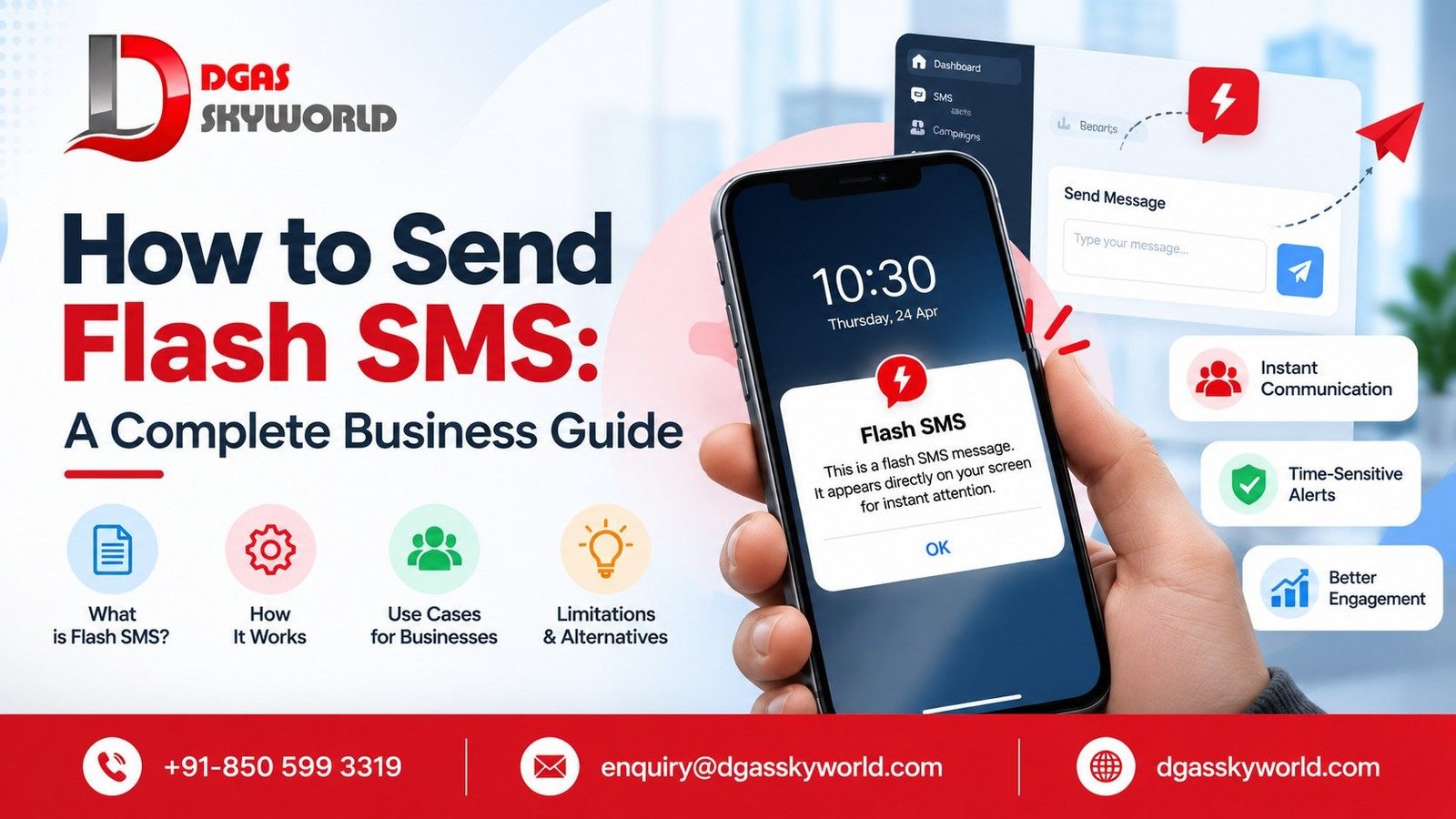
If you want to learn how to send flash SMS, you first need to understand whether your mobile network, messaging provider, and recipient’s device support it. Flash SMS is a type of text message designed to appear directly on a recipient’s screen instead of behaving like a conventional SMS stored in the inbox.
Businesses may consider flash SMS for short, time-sensitive information. However, sending flash SMS is different from running a regular bulk SMS campaign. You need a provider that explicitly supports the required message type, a compatible delivery route, and a way to test the result on actual devices.
This guide explains what flash SMS is, how it works, how to send it, and which business messaging alternatives to consider if your provider does not support it.
What Is Flash SMS?
Flash SMS is a special type of text message, commonly associated with Class 0 SMS in GSM terminology, designed to display immediately on a compatible mobile device. Unlike a conventional SMS, it is not intended to be stored in the inbox by default, although device behavior can vary.
For example, a flash message might display a short notification such as:
Service alert: Scheduled maintenance begins at 11 PM. Save any pending work before that time.
Flash SMS may be useful when the message needs immediate visibility. But visibility is not guaranteed: the recipient’s phone, messaging software, network, and delivery route can affect how the message appears.
The technical foundation of SMS is covered by the 3GPP SMS specification, which documents the technical realization of the Short Message Service.
How Does Flash SMS Work?
Flash SMS uses a message format that requests immediate presentation on a compatible device. The sender must have access to a messaging service and delivery route that support that format.
The process generally follows these steps:
-
Message creation: The sender prepares a short message for a defined purpose.
-
Message submission: The sender submits it through a compatible telecom service or messaging gateway.
-
Network routing: The message travels through the provider and relevant telecom network.
-
Device presentation: If supported, the recipient’s device displays the message as a flash notification.
-
Status monitoring: The sender checks the available delivery reports and tests whether the message appeared as intended.
A standard SMS gateway may accept ordinary text messages without supporting Class 0 SMS. A successful API request also does not prove that the recipient saw the message or that it appeared in flash format.
This is why technical compatibility must be confirmed before launching a flash SMS campaign.
Flash SMS vs Normal SMS vs Bulk SMS
Flash SMS, normal SMS, and bulk SMS describe different aspects of text messaging. Flash SMS refers to a message type, normal SMS describes conventional text messaging, and bulk SMS describes sending messages to many recipients.
| Feature | Flash SMS | Normal SMS | Bulk SMS |
|---|---|---|---|
| Main purpose | Immediate display on compatible devices | Standard text communication | Send messages to multiple recipients |
| Display behavior | Designed to appear directly on screen | Usually appears in the messaging inbox | Depends on the underlying SMS type |
| Inbox storage | Not intended to be stored by default | Usually stored | Depends on the message type |
| Delivery requirements | Class 0 support and compatible routing | Standard SMS support | Bulk messaging platform and telecom routing |
| Device compatibility | Must be verified | Broadly supported, subject to network and device conditions | Depends on the underlying message type |
| Typical use | Short, high-priority notifications | Alerts, reminders, and personal communication | Campaigns, OTPs, and business notifications |
| Large-scale sending | Requires explicit provider support | Possible through an appropriate gateway | Designed for high-volume messaging |
The key distinction: A bulk SMS provider can send thousands of regular SMS messages without necessarily supporting flash SMS. Always verify the specific capability rather than assuming the two are interchangeable.
How to Send Flash SMS Step by Step
There is no universal flash SMS sending process because the available options depend on your provider and its technical implementation. Use the following workflow to evaluate and send flash messages.
Step 1: Identify why you need flash SMS
Start with the communication objective. Is the message an urgent operational alert, a short service notification, or a routine marketing offer?
If you simply need to reach many customers, standard bulk SMS may be more appropriate. If the requirement is specifically to display a message directly on screen, confirm that flash SMS is necessary and supported.
Step 2: Check device and network compatibility
Confirm which recipient devices, operating systems, telecom networks, and destinations must be supported.
Do not assume that a message will display identically on Android, iPhone, older feature phones, and different messaging applications.
Step 3: Choose a provider that supports flash SMS
Contact a messaging gateway or telecom provider and ask whether it supports Class 0 SMS on your intended route.
Ask for written confirmation of:
-
Supported countries and telecom operators.
-
Compatible devices and message formats.
-
Whether sending is available through a dashboard, API, or another interface.
-
Any limitations on message content or length.
-
Pricing and delivery-status reporting.
Step 4: Confirm API or dashboard requirements
If you plan to send messages through software, check the provider’s documentation for the supported message class and the parameters required to submit it.
Do not copy an ordinary SMS API request and assume it will send flash SMS. The relevant feature must be explicitly supported.
Step 5: Test before sending at scale
Send test messages to compatible devices on the intended networks. Check whether the message appears as expected, whether the recipient can dismiss it, and whether the message is stored.
Record the device model, operating system, network, submission status, and observed display behavior. This makes it easier to identify compatibility issues.
Step 6: Monitor delivery and troubleshoot
Review the delivery reports available from your provider. Distinguish between a message accepted by the gateway, a message reported as delivered by the network, and a message visibly displayed on the recipient’s device.
These are not necessarily the same outcome.
If flash SMS is not supported on the intended route, consider a regular SMS or another suitable business messaging channel instead.
Read Next: What Is an SMS API?
Learn how applications and websites connect to messaging gateways to automate notifications, OTPs, and customer alerts.
Can You Send Flash SMS Online Without Coding?
Yes, potentially, if a provider offers a web-based dashboard that explicitly supports flash SMS. However, an online dashboard that supports regular bulk SMS does not automatically support Class 0 messages.
There are three common ways businesses may access messaging services:
-
Web dashboard: Suitable for manual message submission and campaigns, if the required message type is supported.
-
API integration: Suitable for automated messaging from a website, application, CRM, or enterprise system, provided the API exposes the necessary functionality.
-
Custom telecom integration: May be required when the use case depends on specific network capabilities or message-handling requirements.
Before purchasing a flash SMS service, ask the provider to demonstrate the feature on a supported device. Request technical documentation and clarify what the delivery reports actually confirm.
If your requirement is simply to send text messages to customers at scale, DGAS Skyworld’s Bulk SMS service offers business messaging capabilities, including promotional SMS, transactional SMS, OTPs, and API-based automation. Flash SMS support must be confirmed separately.
Flash SMS for Business: Practical Use Cases
Flash SMS may suit a limited set of situations where immediate display is useful and the recipient environment supports it.
Urgent operational notifications
An organization might want to alert staff to a system outage, a temporary service interruption, or a time-sensitive operational change. Before choosing flash SMS, verify whether the intended devices and delivery route support it.
Short, high-priority information
A short message can be useful when the recipient needs to see a concise piece of information promptly. However, the message should not contain sensitive information that could be exposed on a visible screen.
Internal alerts
Businesses with managed devices may be able to test flash messaging in a controlled environment. This can help establish whether the behavior is reliable enough for their operational requirements.
Customer service notifications
A business might investigate flash SMS for a brief service notice, but standard transactional SMS may be more practical when broad device compatibility and dependable message handling matter more than a particular display behavior.
Should you use flash SMS for marketing?
Not necessarily. Flash SMS can interrupt the recipient, and device compatibility is uncertain. For promotions, offers, product announcements, and large-scale customer outreach, a compliant bulk SMS campaign is often easier to manage.
The right channel depends on the message, the audience, consent requirements, and the response you want.
Is Flash SMS Available Through Bulk SMS Providers?
Some providers may offer flash SMS, but bulk SMS capability alone is not proof of Class 0 support.
A business evaluating a flash SMS provider should ask these questions before signing up:
-
Does the service explicitly support Class 0 SMS?
-
Which operators, countries, and devices are supported?
-
Is flash messaging available through the dashboard, API, or both?
-
Can the provider demonstrate the message on a compatible device?
-
What delivery reports are available, and what do they prove?
-
What are the pricing, throughput, and usage restrictions?
-
What regulatory requirements apply to the intended messages?
DGAS Skyworld provides Bulk SMS services for business communication, including OTPs, alerts, promotional campaigns, and API-based messaging. Its broader CPaaS offering includes other communication channels.
However, the publicly reviewed service information does not confirm a dedicated Class 0 flash SMS feature. Businesses requiring that capability should contact the DGAS Skyworld team to verify availability before making a purchase decision.
What If Flash SMS Is Not Supported?
If your provider cannot send flash SMS, choose the channel that best matches your business objective.
1. Regular SMS for broad reach
Use conventional SMS for alerts, appointment reminders, order updates, and other short messages that need to reach customers through standard text messaging.
Explore DGAS Skyworld Bulk SMS

2. WhatsApp Business API for customer conversations
Choose WhatsApp when the use case calls for supported business messaging, automated responses, customer support, or interactive conversations. Applicable opt-in and messaging policies must be followed.

3. RCS for richer messaging
Consider RCS when compatible devices and networks support branded messages, images, buttons, and interactive experiences.

4. Voice solutions for suitable urgent alerts
Voice calls may be more appropriate when the recipient needs spoken instructions or when an alert requires a different form of communication.

Email is another option when the message needs detailed instructions, attachments, or a written record.
For businesses that need several channels, the best approach may be to combine them according to urgency, audience preferences, compatibility, and consent rather than relying on one message type for every situation.
Learn how businesses send one message to multiple recipients and manage campaigns through a messaging platform. Read the SMS broadcast guide.
DLT Compliance and Business SMS in India
Flash SMS is a technical message type; it does not automatically exempt a business from applicable telecom regulations.
According to the Telecom Regulatory Authority of India’s guidance for senders, businesses sending bulk communications must meet applicable requirements under the Telecom Commercial Communications Customer Preference Regulations, 2018. These can include Principal Entity registration, registered headers, content templates, and consent requirements where applicable.
Before launching a commercial SMS campaign in India:
-
Complete the applicable sender or Principal Entity registration.
-
Register the required header and message templates.
-
Obtain and manage consent where required.
-
Ensure that the message content and delivery process follow applicable telecom rules.
-
Confirm any additional restrictions with the relevant access provider.
These regulatory steps are separate from the technical requirement to support Class 0 SMS.
For assistance with business SMS registration and templates, see the DGAS Skyworld DLT registration guide.
Why Choose DGAS Skyworld for Business Messaging?
DGAS Skyworld provides CPaaS solutions that help businesses manage messaging, voice, and customer communication. Its published offerings include Bulk SMS, SMS API integration, WhatsApp Business API, RCS messaging, Voice Solutions, Email APIs, and chatbot solutions.
These capabilities can help businesses choose a communication channel based on their requirements.
-
Bulk SMS: Send promotional messages, OTPs, transactional notifications, and alerts.
-
SMS API: Automate messaging from websites, applications, and business systems.
-
DLT support: Get assistance with the applicable sender registration, header, and template processes.
-
Omnichannel communication: Evaluate SMS, WhatsApp, RCS, Voice, and Email for different customer communication needs.
-
Integration support: Connect communication services with supported business software and workflows.
If your requirement specifically involves flash SMS, confirm Class 0 support, compatible delivery routes, and device behavior with the team before proceeding.
Need a business messaging solution? Visit DGAS Skyworld or contact the team to discuss your requirements.
Frequently Asked Questions About Flash SMS
1. How to send flash SMS from a mobile phone?
Most standard messaging applications do not provide a universal option for composing Class 0 flash SMS. You need a device or application that supports the required functionality, along with a compatible network and delivery method. Check your device documentation and provider support before attempting to send a flash message.
2. How to send flash SMS online?
To send flash SMS online, find a telecom provider that explicitly supports Class 0 messaging. Confirm whether the feature is available through its dashboard or API, verify device and network compatibility, and test the message before sending it at scale. An ordinary online bulk SMS service may not support flash SMS.
3. Can I send flash SMS to any mobile number?
No. You should not assume that every mobile number can receive or display flash SMS as intended. Compatibility depends on the recipient’s device, operating system, messaging software, telecom network, and the provider’s delivery route. Test the intended recipient environment before relying on flash SMS for important notifications.
4. Is flash SMS the same as bulk SMS?
No. Flash SMS describes a message type designed for immediate display on compatible devices. Bulk SMS describes sending messages to many recipients through a messaging platform. A bulk SMS platform can support regular SMS at scale without necessarily supporting Class 0 flash messages.
5. Can businesses send flash SMS through an API?
Yes, if the messaging provider exposes Class 0 functionality through its API and supports the intended delivery route. Developers should consult the API documentation for supported message types, required parameters, and delivery-status behavior. An API that sends regular SMS does not automatically support flash SMS.
6. Does flash SMS work on Android and iPhone?
Flash SMS behavior varies by device, operating system, messaging application, and network support. Do not assume that Android and iPhone devices will display or handle Class 0 messages in the same way. Verify current compatibility with the provider and test on the specific devices used by your audience.
7. Is flash SMS suitable for promotional campaigns?
Flash SMS is not automatically the best choice for promotions. Its immediate display behavior can interrupt recipients, and compatibility may be limited. For discounts, product launches, and customer offers, a compliant promotional SMS campaign may be more practical. Businesses should also follow applicable consent and telecom requirements.
8. What is the difference between flash SMS and normal SMS?
Flash SMS is designed to display immediately on compatible devices and is not intended to be stored in the inbox by default. Normal SMS generally appears in the recipient’s messaging inbox. Actual behavior depends on device and network support, so flash delivery should always be tested.
9. Is flash SMS available through DGAS Skyworld?
DGAS Skyworld publicly offers Bulk SMS, SMS API integration, and other CPaaS messaging solutions. However, its reviewed public service pages do not confirm dedicated Class 0 flash SMS support. Contact the DGAS Skyworld team to verify whether this specific capability is available for your use case.
Conclusion
Understanding how to send flash SMS starts with identifying the message type your business actually needs. Flash SMS can provide immediate on-screen presentation on compatible devices, but support is not universal, and successful message submission does not guarantee that the recipient sees it as intended.
Before choosing a flash SMS service, confirm provider capabilities, test on the relevant devices and networks, and check the applicable compliance requirements.
If your objective is to send OTPs, alerts, transactional updates, or promotional messages at scale, explore DGAS Skyworld’s Bulk SMS services and its wider CPaaS solutions to find an appropriate communication channel.
Talk to DGAS Skyworld about your business messaging requirements: Contact the team.