What is WhatsApp API? A Complete Guide for Businesses (2026)
Too Long? Read This First
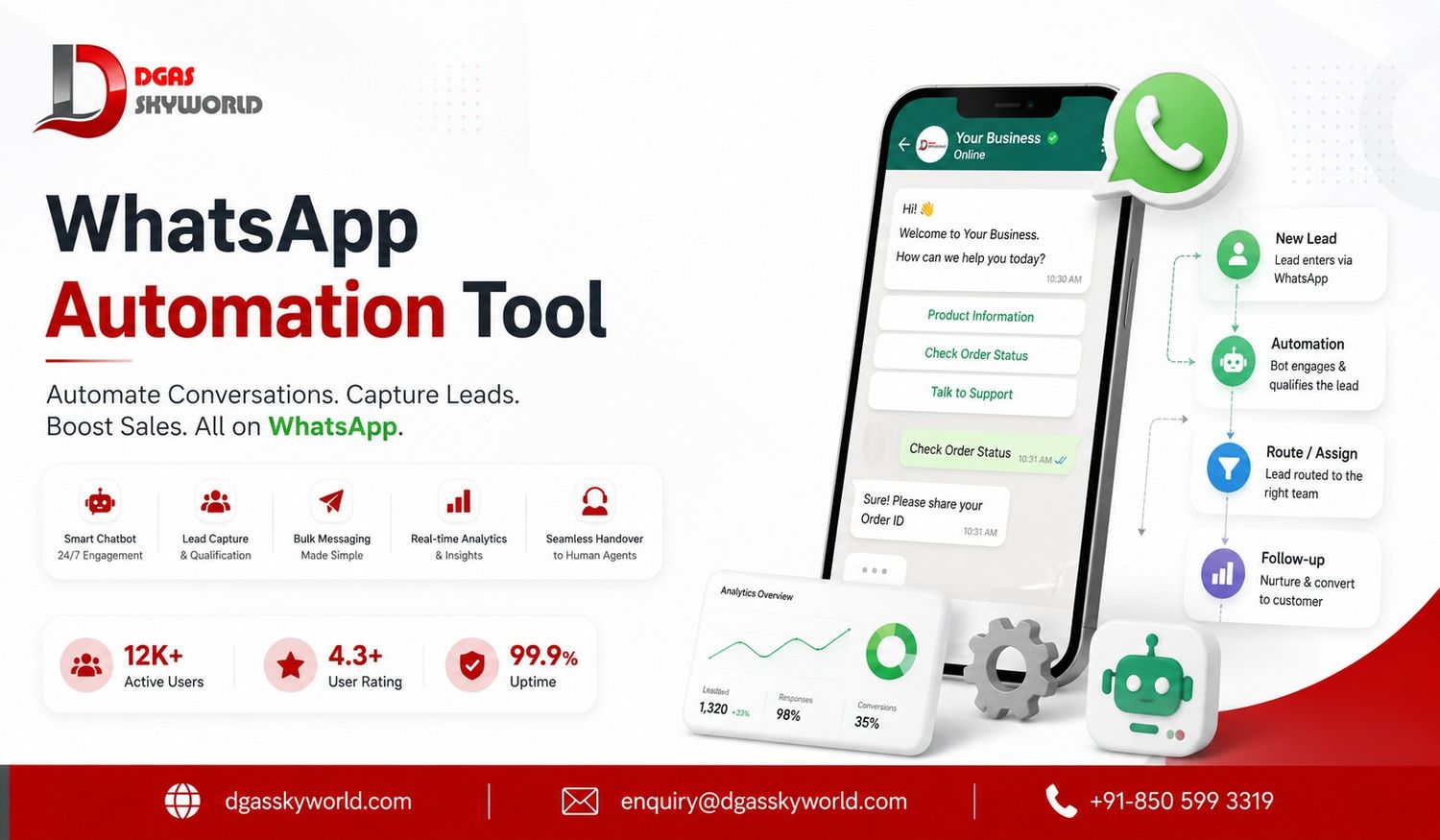
- WhatsApp API (officially the WhatsApp Business Platform) is a backend system that lets medium and large businesses send and receive WhatsApp messages at scale, with automation, CRM integration, and multi-agent support.
- It is not an app you install — it connects to your existing tools through a provider’s dashboard or your own systems.
- Pricing moved from per-conversation to per-message billing in mid-2025. In India, marketing messages cost roughly ₹0.90 per message, while utility and authentication messages cost roughly ₹0.18 per message, and these rates change quarterly.
- You can access it either through an official WhatsApp Business API provider or through a BSP/reseller — and that choice affects your pricing, support, and compliance.
- Setup involves Meta Business Manager verification, a dedicated phone number, a WhatsApp Business Account (WABA), and pre-approved message templates.
If you have ever sent the same WhatsApp message to fifty customers one by one, you already know why this guide exists. WhatsApp is where your customers spend their time — but the regular WhatsApp Business App was never built to handle hundreds of conversations, automated replies, or a sales team working from a shared inbox.
That is the gap WhatsApp API fills. With more than 3 billion people using WhatsApp every month, it has become one of the highest-reach channels a business can use — and the API is what lets you use that reach properly, at scale, without losing the personal feel that makes WhatsApp work in the first place.
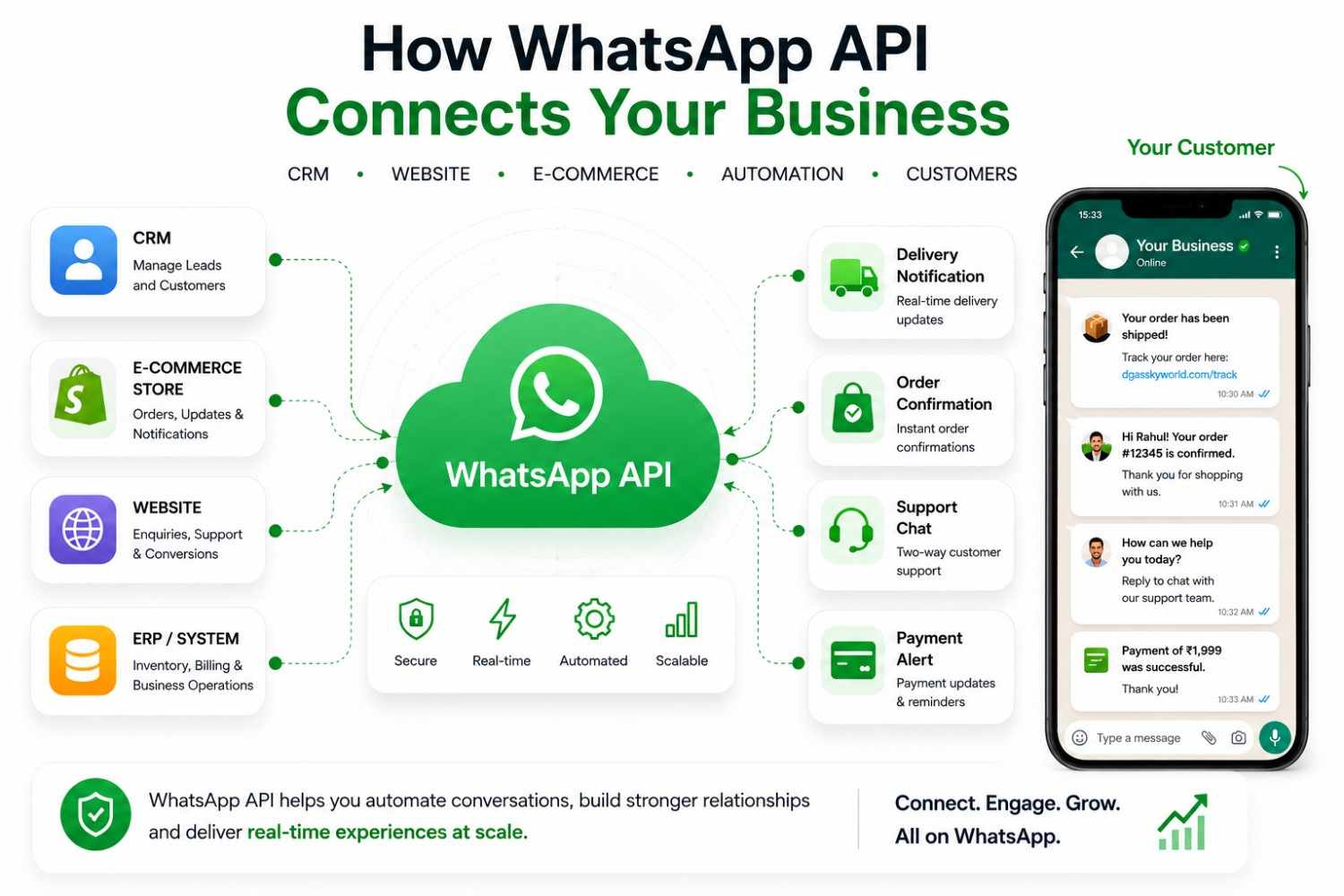
In this guide, we will break down what WhatsApp API actually is, how it works behind the scenes, what it costs in India today, and how to set it up — including the one factor most guides skip: the real difference between working with an official WhatsApp Business API provider versus a reseller.
What is WhatsApp API? (Core Definition)
WhatsApp API, officially called the WhatsApp Business Platform, is a backend communication system that lets businesses send and receive WhatsApp messages programmatically — meaning through software, not by typing on a phone. It connects your existing business tools, such as a CRM, helpdesk, or e-commerce platform, directly to WhatsApp.
Here is the part that confuses most first-time readers: WhatsApp API is not an app. There is no icon to tap, no chat screen of its own. It is an interface — a set of rules that software can follow to send a message, receive a reply, or check a delivery status. The actual chat experience you see comes from whichever provider’s dashboard or your own software you connect to it.
A simple example: when an online furniture store confirms your order, sends a delivery update two days later, and follows up asking for a review — all of that is likely running through WhatsApp API, triggered automatically by their order system, without anyone on their team typing a single message by hand.
Quick note on naming: Meta rebranded “WhatsApp Business API” to “WhatsApp Business Platform” in 2023. Both terms describe the exact same product. Most businesses, including search engines, still use “WhatsApp API” and “WhatsApp Business API” interchangeably, so we will too in this guide.
How Does WhatsApp API Work?
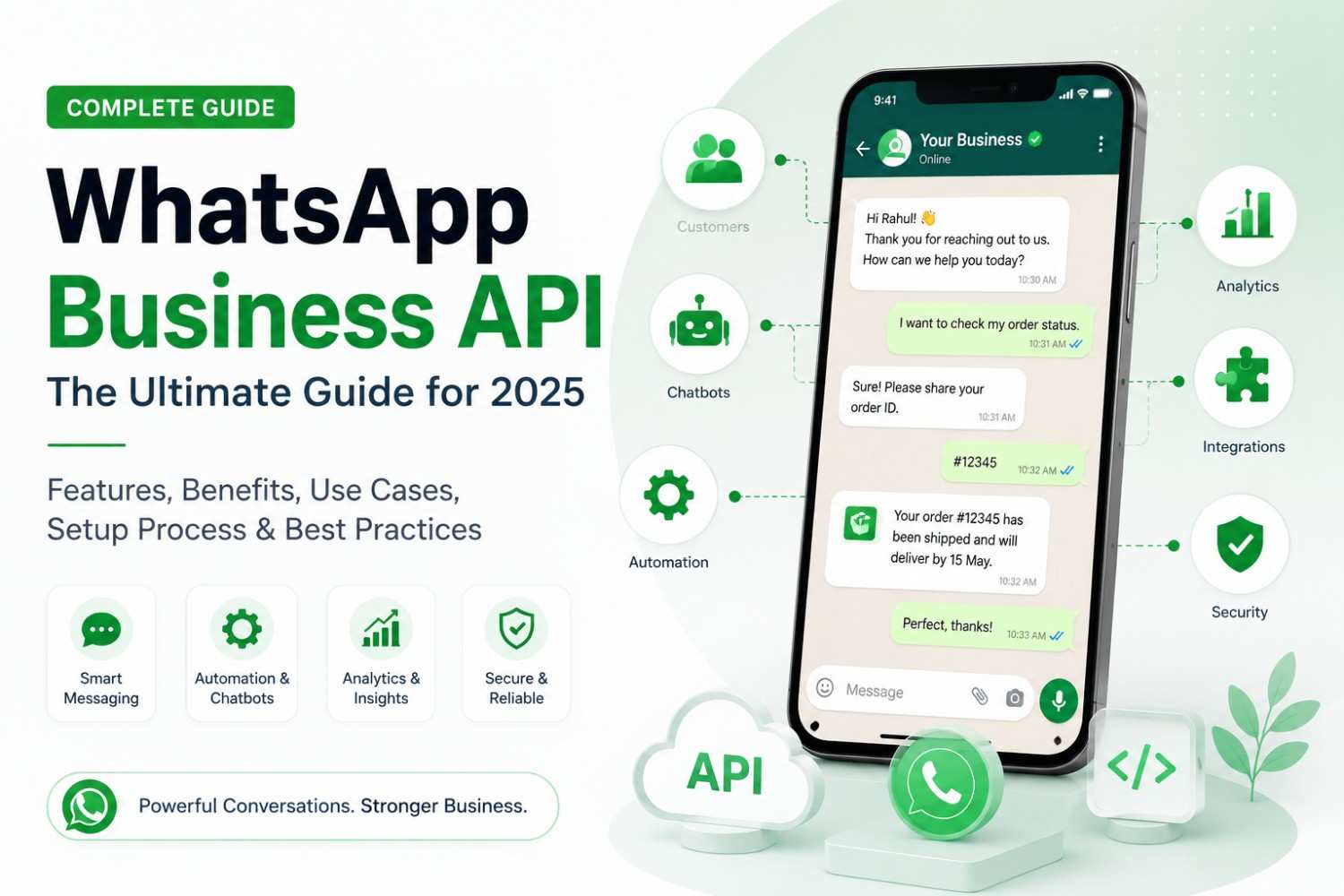
At a high level, WhatsApp API sits between your business systems and WhatsApp’s servers, passing messages back and forth in a structured, trackable way.
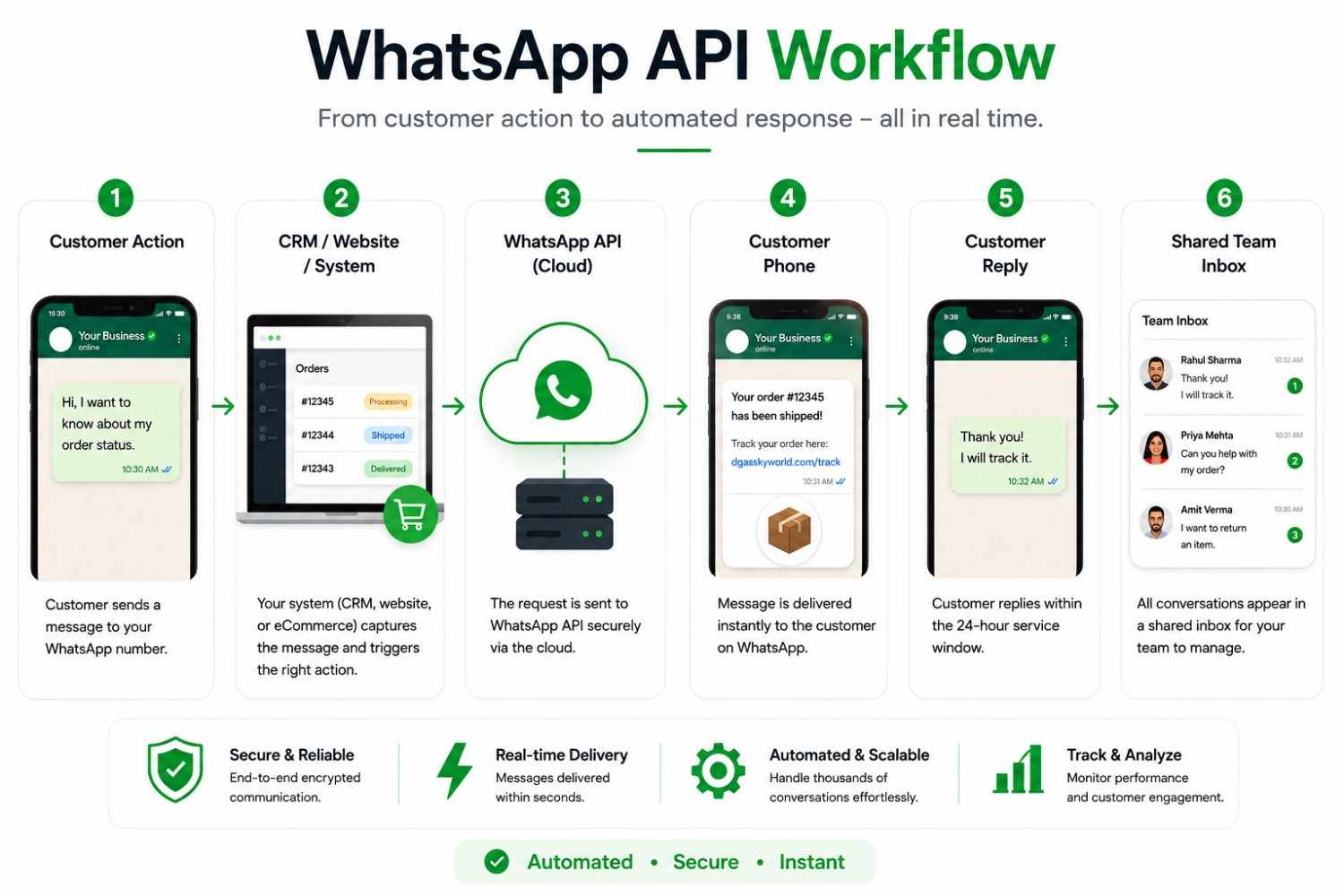
The message flow, step by step
- Trigger: An event happens in your system — a customer places an order, books an appointment, or sends you a message.
- Send: Your CRM, e-commerce platform, or your provider’s dashboard sends that message through the API.
- Deliver: WhatsApp delivers the message to the customer’s phone with end-to-end encryption.
- Respond: If the customer replies, that reply routes back through the API into your shared inbox or CRM, so your team or chatbot can respond.
Cloud-hosted vs. self-hosted
WhatsApp API messages are processed either on Meta’s own cloud servers (the Cloud API) or on infrastructure a business manages itself (the On-Premises API). We cover the difference between these two in detail further down, since it is one of the first real decisions you will make when setting this up.
WhatsApp Business API vs. WhatsApp Business App
Both tools are built by Meta for business communication, but they solve very different problems. The free app is built for one person managing a modest number of chats. The API is built for teams and systems managing thousands.
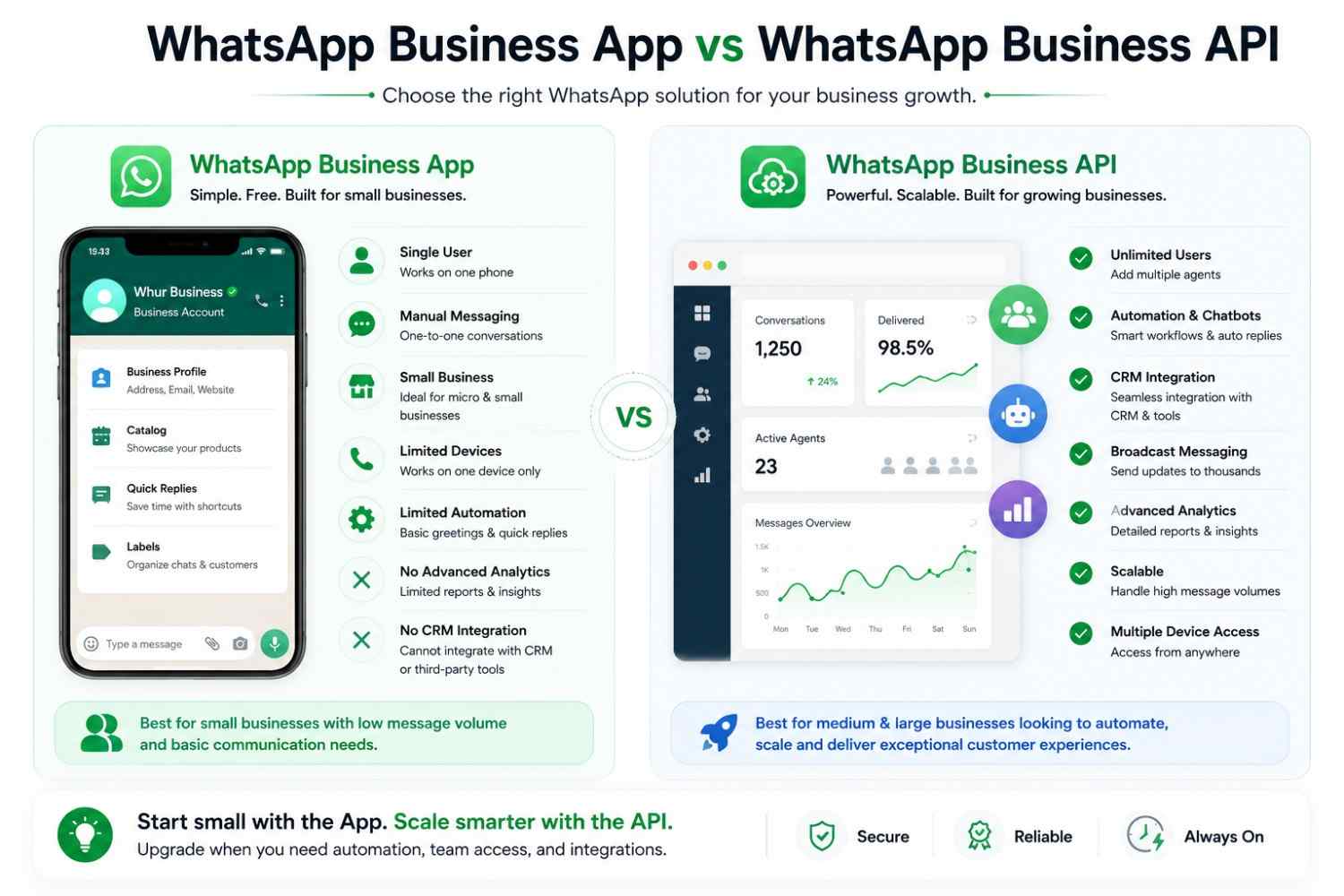
| Attribute | WhatsApp Business App | WhatsApp Business API |
|---|---|---|
| Best suited for | Small businesses, solo operators | Medium and large businesses with growing volume |
| Hosting | Runs on one phone, up to 4 linked devices | Hosted on Meta’s cloud or your own servers, via a provider |
| Users | 1 phone number, shared identity across linked devices | Unlimited agents and bots through a shared inbox |
| Automation | Basic quick replies and away messages | Full chatbot automation, workflows, and message templates |
| CRM/software integration | Not available | Full integration with CRM, helpdesk, and e-commerce tools |
| Messaging rules | Message anyone, anytime | 24-hour service window; templates required outside it |
| Cost | Free | Per-message charges plus provider platform fee |
| Verified badge | Standard business profile | Eligible for official business verification |
If you are messaging fewer than a hundred customers a month and don’t need automation, the free app is genuinely enough. The moment you need more than one person replying, automated order updates, or a connection to your CRM, that is your signal to move to the API.
WhatsApp Cloud API vs. On-Premises API
When you set up WhatsApp API, there are two hosting models to choose between. For almost every business in 2026, this decision has already been made for you — but it helps to understand why.
WhatsApp Cloud API
The Cloud API is hosted and maintained directly by Meta. You don’t manage any servers — your provider connects your account to Meta’s infrastructure, and updates, security patches, and new features roll out automatically. Setup is fast, usually within a day once your business is verified, and it is the default choice for most businesses, including e-commerce, education, and real estate brands.
WhatsApp On-Premises API
The On-Premises API runs on a business’s own servers, giving full control over data residency and infrastructure — historically attractive to banks, hospitals, and government bodies with strict data rules. The trade-off is that your own IT team handles scaling, uptime, and security patching. Meta has been steadily moving businesses away from this model in favor of the Cloud API, and on-premises hosting is being phased out, so most new setups today go straight to Cloud API.
| Factor | Cloud API | On-Premises API |
|---|---|---|
| Hosting | Meta’s servers | Your own servers |
| Setup time | Hours to a few days | Weeks |
| Maintenance | Handled by Meta | Your IT team |
| Best for | Most businesses | Legacy setups in tightly regulated industries |
Key Components of WhatsApp Business API
If you’re exploring what is WhatsApp Business API, understanding its core components makes the setup much easier. WhatsApp Business API is designed for businesses that want to manage customer conversations at scale, automate communication, and connect WhatsApp with their existing business systems.
Here are the five key components:
1. Meta Business Manager
Meta Business Manager provides the foundation for managing your business assets and WhatsApp setup. It is also where businesses complete the required verification process for WhatsApp API.
Businesses can use it to:
- Manage business assets
- Complete business verification
- Set up and manage WhatsApp Business Accounts
- Manage connected WhatsApp phone numbers
2. WhatsApp Business Account (WABA)
A WhatsApp Business Account, or WABA, connects your business identity with WhatsApp’s business messaging infrastructure.
It acts as a central account for managing your WhatsApp API setup, including the phone numbers associated with your business. Organisations with multiple departments, locations, or business operations can structure their WhatsApp communication through their WABA.
3. Business Phone Number
The business phone number is the number customers use to contact your organisation on WhatsApp.
Businesses can set up a new number or migrate an eligible existing number to the WhatsApp API. Once connected, the number can be used with API-based tools and business systems for managing customer communication.
This allows multiple team members, automated workflows, and connected applications to work with the same business communication channel.
4. Meta Tech Provider/WhatsApp Business API Provider
A Meta Tech Provider or WhatsApp Business API provider like DGAS Skyworld helps businesses integrate WhatsApp Business API with the technology they already use. Instead of building the complete technical infrastructure themselves, businesses can work with a technology provider for API integration, automation, and connected solutions.
DGAS Skyworld, as a Meta Tech Provider, can help businesses with:
- WhatsApp API integration
- API onboarding and configuration
- Customer communication automation
- WhatsApp-based workflows
- CRM and business system integrations
- Scalable messaging solutions
This makes it easier for businesses to connect WhatsApp with their existing sales, support, marketing, and operational processes.
5. WhatsApp Message Templates
Message templates are structured messages businesses can use for specific customer communications. They are especially important when sending business-initiated messages outside the applicable customer service window.
Common use cases include:
- Order and delivery updates
- Appointment reminders
- Payment notifications
- Customer alerts
- Lead follow-ups
- Promotional communication
Templates need to comply with Meta’s messaging policies and approval requirements.
How These Components Work Together
| Component | What It Does |
|---|---|
| Meta Business Manager | Manages and verifies your business assets |
| WABA | Connects your business to WhatsApp’s business messaging infrastructure |
| Business Phone Number | Provides the number customers use to contact your business |
| Meta Tech Provider | Helps integrate and implement WhatsApp API solutions |
| Message Templates | Support structured customer notifications and outreach |
In simple terms: Meta provides the WhatsApp business messaging infrastructure, WABA connects your business to it, your phone number becomes the customer-facing identity, and a Meta Tech Provider like DGAS Skyworld helps you integrate WhatsApp into your business systems and workflows.
Types of WhatsApp API Messages
Session (free-form) messages
Once a customer messages you, a 24-hour service window opens. Within that window, you can send free-form replies and even utility templates at no charge, which makes live support conversations cost-effective.
Template messages
Outside the service window, every business-initiated message needs a pre-approved template, sorted into three categories:
- Marketing: Promotions, offers, and re-engagement messages. The highest-cost category.
- Utility: Transactional, non-promotional messages tied to something the customer did, like an order confirmation or delivery update.
- Authentication: One-time passwords and verification codes, priced lowest of all categories since Meta wants businesses using WhatsApp for secure logins.
Key Features and Benefits of WhatsApp API
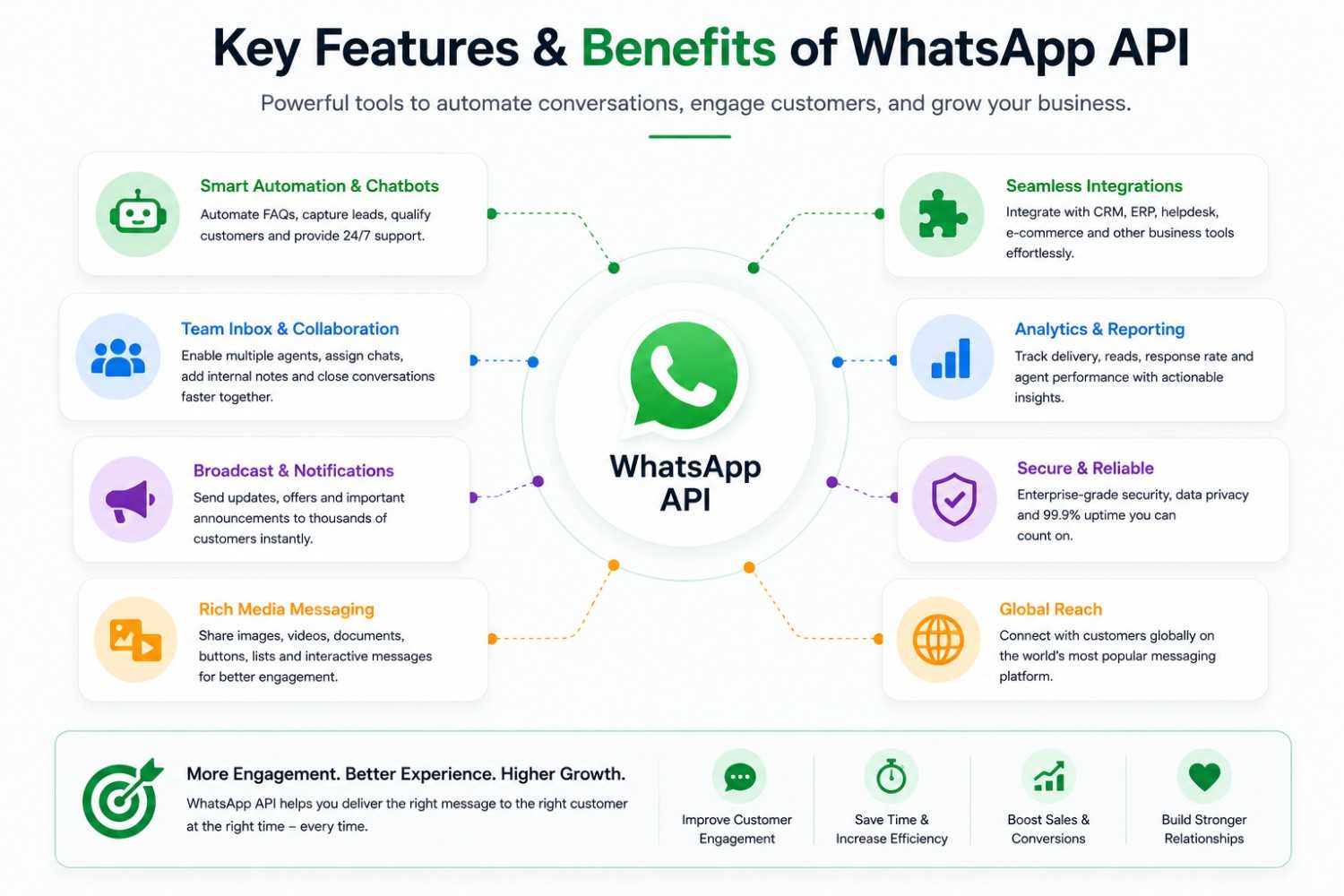
- Automation and chatbots: Handle FAQs, order tracking, and lead qualification without a human on every chat.
- CRM and e-commerce integration: Sync conversations with platforms like HubSpot, Salesforce, or Shopify so your team has full context.
- Rich media and catalogs: Share product images, videos, PDFs, and interactive catalogs directly in chat.
- Broadcast messaging: Send segmented campaigns to thousands of opted-in contacts at once.
- Shared team inbox: Multiple agents work from one number with full visibility into ongoing conversations.
- Analytics and reporting: Track delivery rates, response times, and campaign ROI in one dashboard.
- WhatsApp Business Calling: A newer addition that lets support and sales teams make and receive voice calls inside WhatsApp itself, extending the same thread from chat to call without losing context.
Official WhatsApp Business API Provider vs. BSP/Reseller — Why It Matters
This is the part most guides on this topic skip entirely, and it is often the most expensive mistake businesses make when adopting WhatsApp API.
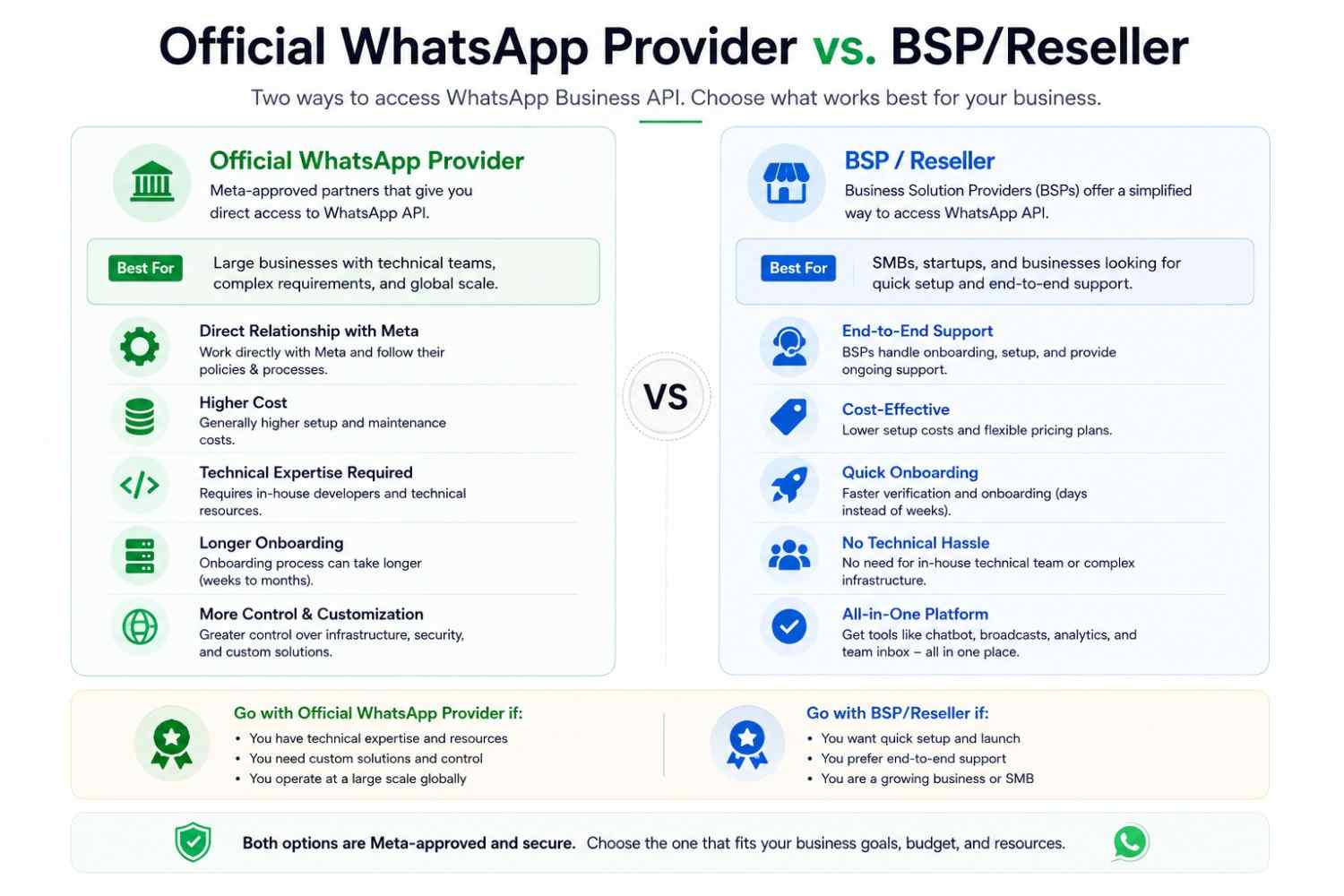
Meta works with a layer of approved partners to bring WhatsApp API to businesses. Within that layer, there is a real difference between an official WhatsApp Business API provider and a BSP reseller:
- Official providers have a direct relationship and technical integration with Meta. They manage your WhatsApp Business Account, templates, and compliance directly, which means fewer middlemen between you and Meta’s policies, pricing, and support escalation.
- BSP resellers typically operate on top of another provider’s infrastructure. You are often paying a markup layered on top of the official provider’s fees, and when something breaks — a template gets rejected, a number gets flagged, a payment dispute comes up — you may be waiting on a reseller who is, in turn, waiting on someone else.
This affects three things directly: pricing transparency (resellers often add 10–30% markups on top of Meta’s per-message rates), support speed (fewer hops mean faster resolution when your number gets restricted or a campaign goes wrong), and compliance accountability (an official provider carries direct responsibility for keeping your account aligned with WhatsApp’s commerce and messaging policies, rather than passing that risk down a chain).
Where DGAS Skyworld fits in: DGAS Skyworld is an official WhatsApp Business API provider, not a BSP or reseller. That means clients get direct setup, transparent per-message pricing with no hidden markup layers, and support that doesn’t route through a third party before it reaches someone who can actually fix the issue.
Who Should Use WhatsApp API?
Ask yourself these four questions:
- Volume: Are you sending more messages than one person can realistically type and track manually?
- Team size: Does more than one person need to respond to customers on the same number?
- Integration: Do you need WhatsApp connected to a CRM, helpdesk, or e-commerce platform?
- Compliance: Does your industry need audit trails, pre-approved messaging, or data handling controls that the free app can’t provide?
If you answered yes to two or more, WhatsApp API will likely pay for itself quickly. If you answered no to all four, the free WhatsApp Business App may serve you just as well for now.
How to Set Up WhatsApp Business API (Step-by-Step)
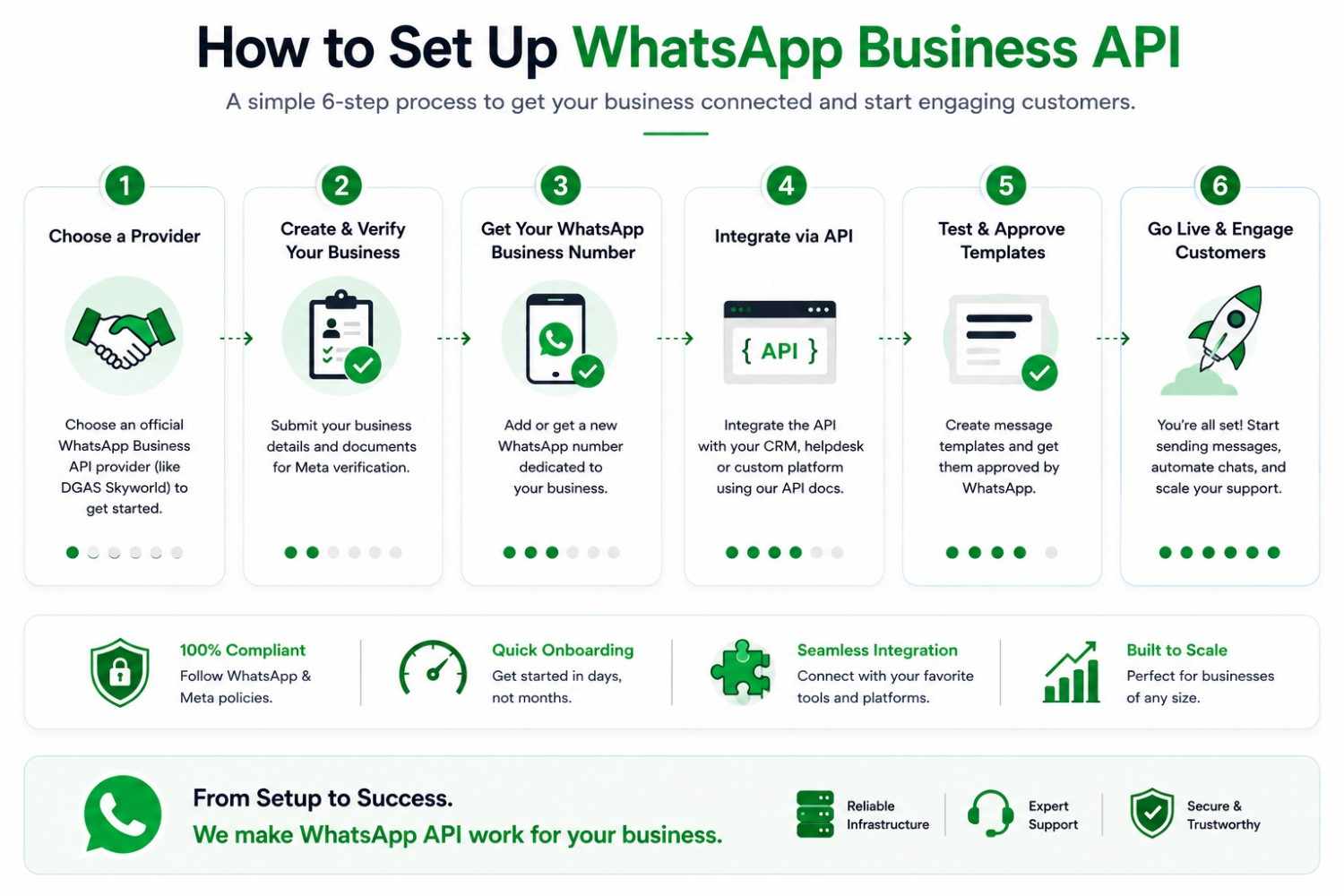
1. Choose your WhatsApp API provider Decide between an official provider and a BSP, based on the transparency and support considerations above.
2. Complete Meta Business Manager verification Submit documents such as your incorporation certificate, business license, or a recent utility bill in your business’s legal name. Approval typically takes one to three weeks.
3. Connect a dedicated phone number Use a number with no active WhatsApp or WhatsApp Business App account attached. Remove any existing account on that number first.
4. Set up your WhatsApp Business Account (WABA) and profile Add your business name, logo, category, description, address, and hours so the profile reflects your brand accurately.
5. Submit message templates for approval Draft your marketing, utility, and authentication templates and submit them for Meta’s review before you start sending.
6. Go live and connect your tools Integrate the API with your CRM, helpdesk, or store, and start handling conversations through your shared inbox.
WhatsApp Business API Pricing in India (2026)
Meta changed its billing model significantly in mid-2025, moving from charging per 24-hour conversation to charging per individual template message delivered. This makes costs more predictable per message, though high-frequency senders to the same customer can end up paying more than they did under the old model.
As of 2026, India’s approximate per-message rates are:
| Message category | Approximate rate (India) | Typical use |
|---|---|---|
| Marketing | ~₹0.90 per message | Promotions, offers, re-engagement campaigns |
| Utility | ~₹0.18 per message | Order confirmations, delivery updates, reminders |
| Authentication | ~₹0.18 per message | OTPs, login verification |
| Service (within 24-hour window) | Free, unlimited | Customer support replies, chatbot conversations |
Rates shown are approximate and based on Meta’s published India rate card as of mid-2026. Meta can revise rates up to four times a year (January, April, July, October), so always confirm current numbers with your provider before budgeting.
On top of Meta’s per-message rate, most providers add a platform fee for the dashboard, chatbot builder, and integrations — this is where checking for hidden markups, as discussed above, genuinely changes your monthly bill.
Cost-saving tip: Utility templates sent within an active 24-hour service window are free. If a customer messages you and you reply with a shipping update template a few hours later, there’s no charge — only templates sent outside that window are billed. Click-to-WhatsApp ads also open a 72-hour free messaging window, making them one of the most cost-efficient ways to start a new conversation.
Industry Use Cases of WhatsApp API
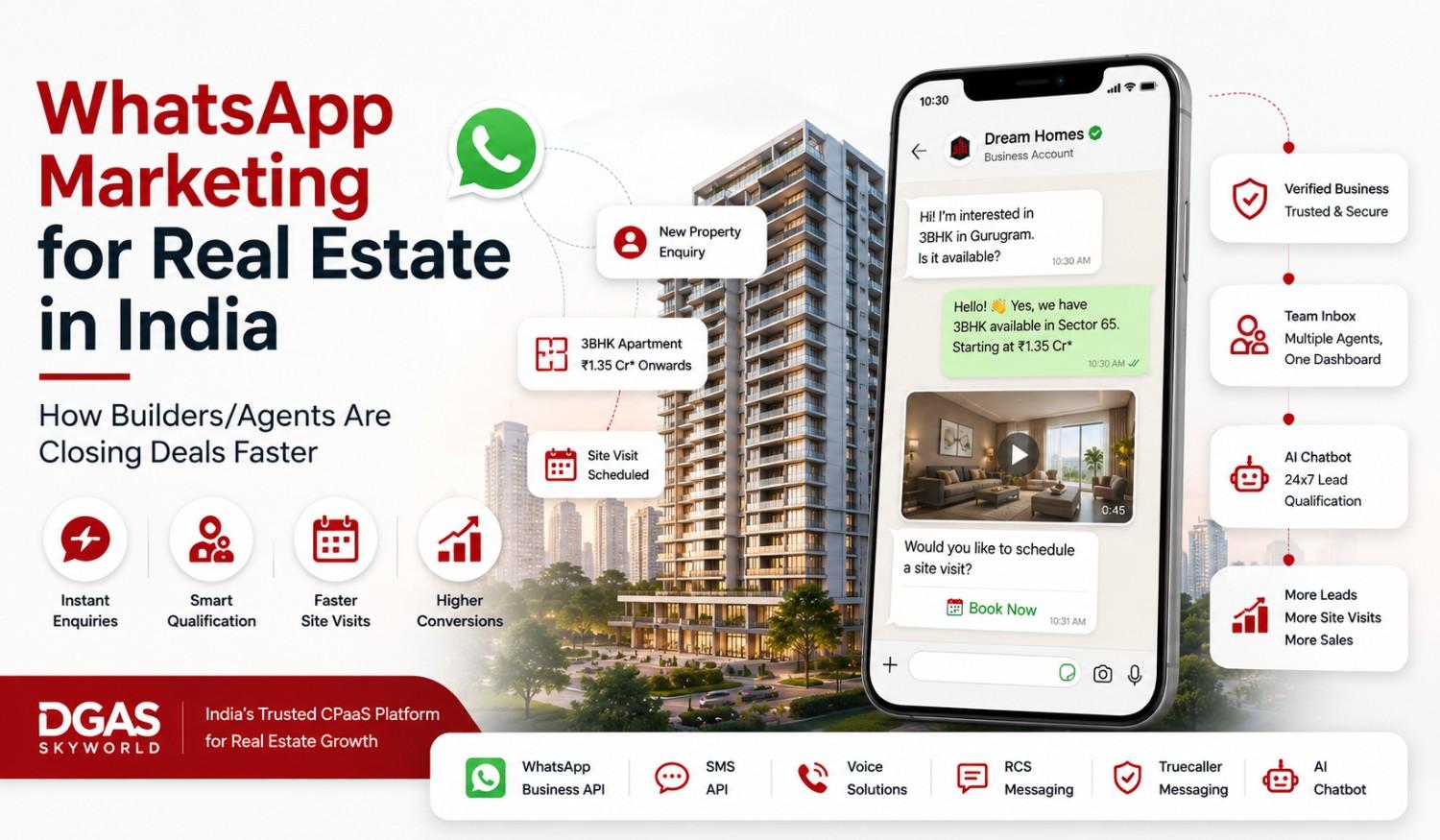
- Real estate: Share project brochures, schedule site visits, and follow up on leads from Meta ad campaigns with instant WhatsApp replies — something we run regularly for developer projects along high-growth corridors like the Yamuna Expressway in NCR.
- Education: Send admission updates, fee reminders, and counselor follow-ups to parents and students through automated, template-based flows.
- Cloud kitchens and D2C food brands: Confirm orders, share delivery ETAs, and re-engage repeat customers with menu updates and offers.
- Healthcare: Automate appointment reminders, prescription updates, and post-visit follow-ups.
- Banking and fintech: Send secure OTPs, transaction alerts, and account statements with strict template compliance.
WhatsApp API and Business Verification
Once your WhatsApp Business Account is set up and active, your business becomes eligible for official verification — the green checkmark that confirms your business identity to customers. This builds trust, especially for first-time customers who haven’t saved your number yet, and it works alongside your API setup rather than as a separate product. If you want the full step-by-step process, including documentation requirements, read our complete guide on WhatsApp Blue Tick verification for businesses.
Why Businesses Choose DGAS Skyworld for WhatsApp Business API
DGAS Skyworld is an official WhatsApp Business API provider, working with businesses across India, the USA, the UK, the UAE, Australia, Canada, and Singapore. From Meta verification and number setup to template approval and CRM integration, our team handles the full setup directly — with transparent per-message pricing and support that doesn’t route through a chain of resellers.
Talk to Our Team About WhatsApp API
Frequently Asked Questions
Ques. Is WhatsApp API free?
Ans. The API itself has no licensing fee from Meta, but you pay per template message you send — marketing, utility, or authentication — plus a platform fee to your provider. Messages sent within an open 24-hour customer service window are free.
Ques. What is the difference between WhatsApp Business API and the WhatsApp Business App?
Ans. The WhatsApp Business App is a free mobile app for one user on one device, built for small businesses. WhatsApp Business API is a backend system built for unlimited agents, automation, and CRM integration, suited to medium and large businesses with higher message volumes.
Ques. How long does WhatsApp API approval and setup take?
Ans. Technical setup with a provider can take under a day. The variable is Meta Business Manager verification, which typically takes one to three weeks depending on how quickly your documents are reviewed.
Ques. Can small businesses use WhatsApp API?
Ans. Yes, but it usually makes financial sense once message volume, automation needs, or team size outgrow what the free WhatsApp Business App can handle. Very low-volume businesses are often better served by the free app for now.
Ques. Do I need a BSP, or can I get WhatsApp API directly?
Ans. Most businesses access WhatsApp API through an official provider or a BSP, since Meta does not offer a fully self-service dashboard for most businesses. The difference between a BSP/reseller and an official provider affects pricing transparency, support speed, and compliance accountability — worth checking before you commit.
Ques. What is the 24-hour messaging rule on WhatsApp API?
Ans. When a customer messages your business, a 24-hour customer service window opens. Within it, you can send free-form replies and utility templates at no charge. Once it closes, any further business-initiated message needs a pre-approved template and is billed per message.
Conclusion
WhatsApp API turns the app your customers already trust into a system your business can actually scale on — automated, integrated with your existing tools, and built for teams rather than a single phone. The setup has a few moving parts, and the pricing model has changed more than once in the past year, but none of it is complicated once you know what each piece does.
If you’re weighing whether to make the move, or comparing providers before you commit, our team at DGAS Skyworld can walk you through the setup, pricing, and what to expect for your specific business — without the reseller markup.