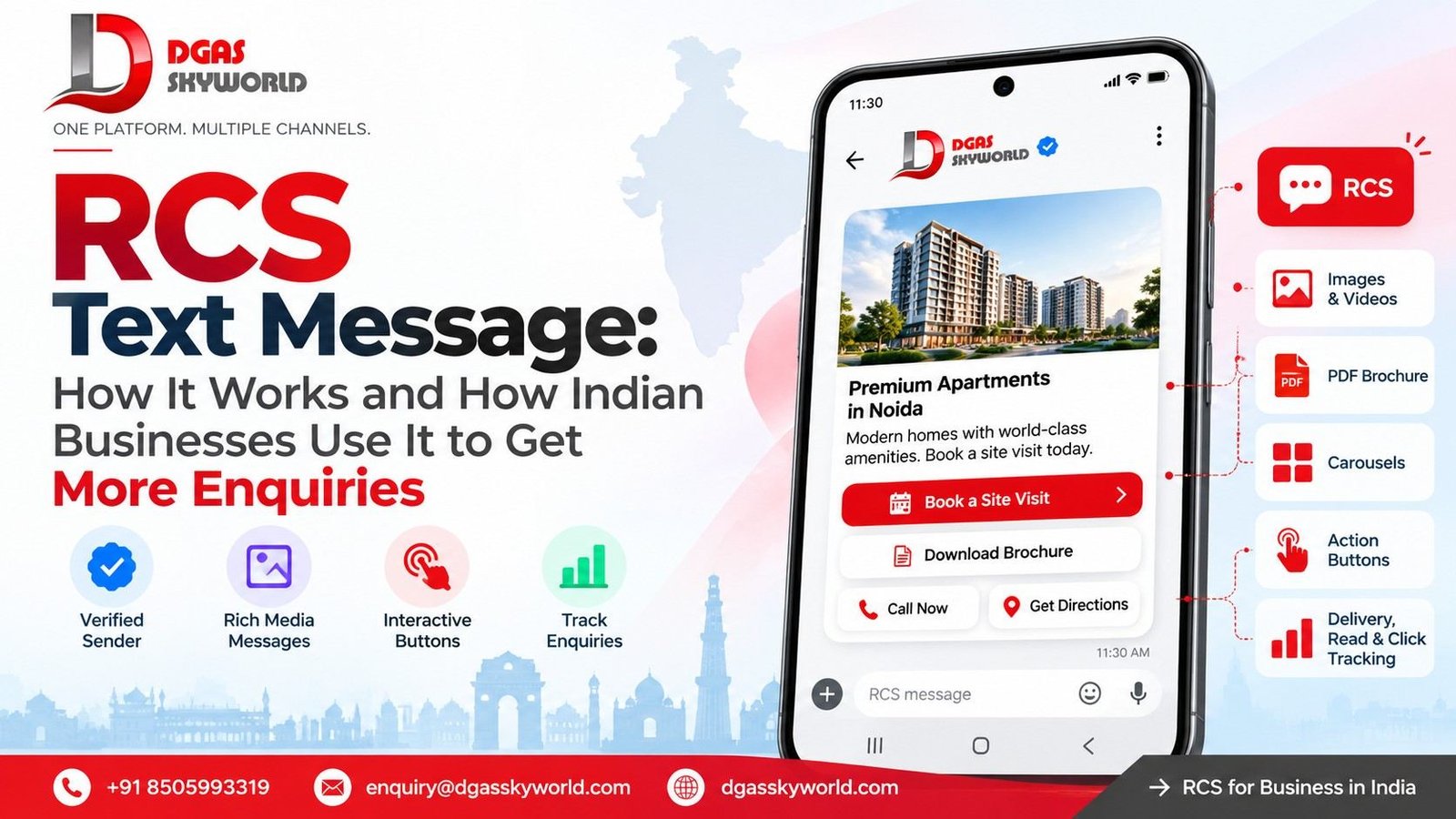
What Is Enhanced Messaging Service? How It Works, Benefits, Use Cases & More (2026 Guide)
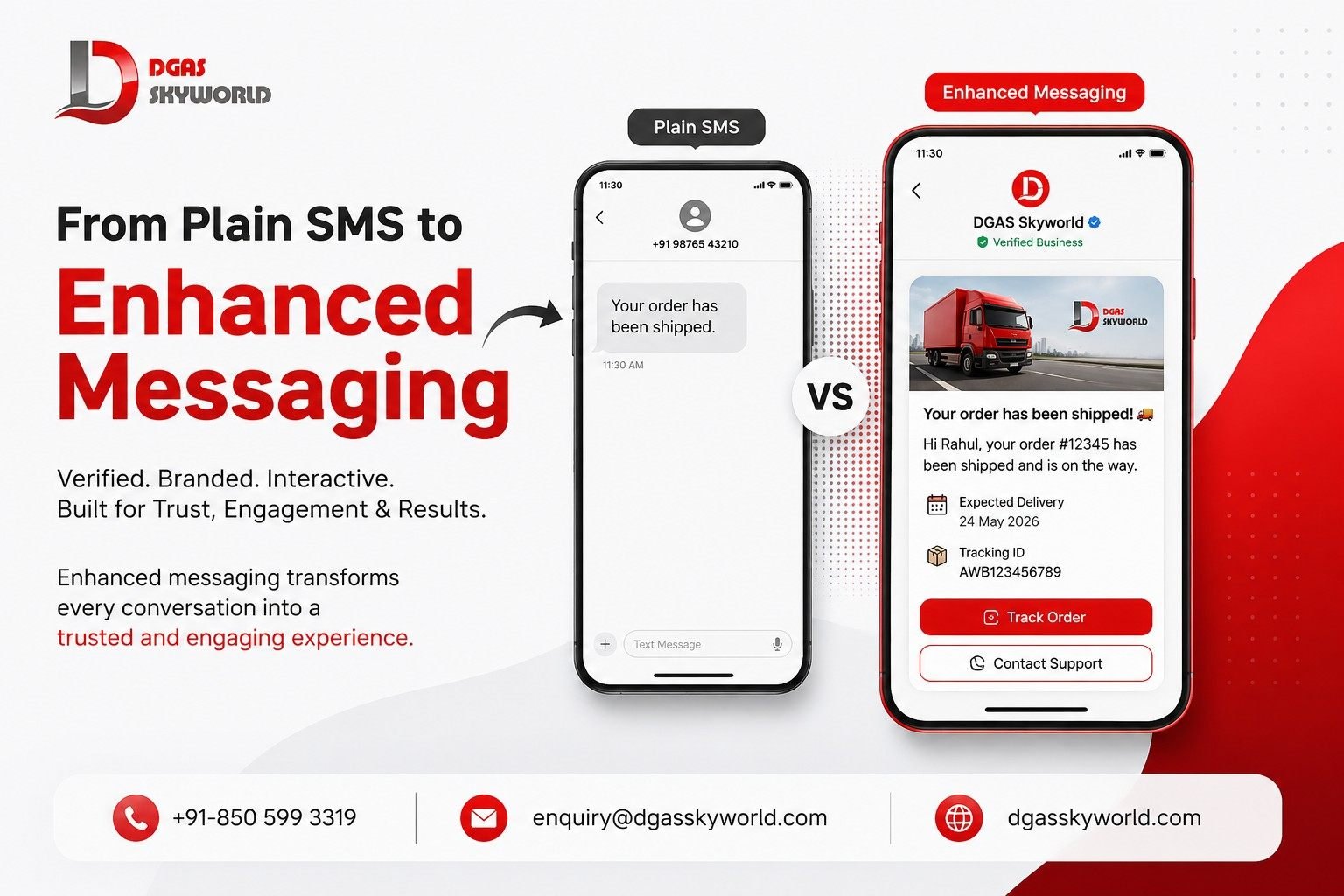
Enhanced Messaging Service: Open your phone’s messaging app right now. Chances are, somewhere in that inbox is a text from your bank showing its logo next to the sender name, or a delivery update with a “Track Order” button you can tap without leaving the thread. That’s not “just SMS” anymore. That’s enhanced messaging, and if your business is still sending flat, unbranded 160-character texts while your competitors send verified, interactive ones, you’re already losing the trust battle before the customer has even read the message.
This guide breaks down what enhanced messaging actually is, how it technically works behind the scenes, why it’s become a non-negotiable part of customer communication in 2026, and where it’s headed next. We’ll also walk through real use cases across industries so you can see exactly where it fits into your own messaging strategy.
What Is Enhanced Messaging?
Enhanced messaging is the umbrella term for business messaging that goes beyond plain-text SMS by adding verified sender identity, rich branding, interactive elements, and detailed engagement data to the conversation. Instead of a message arriving from an anonymous 10-digit number, the recipient sees your business name, logo, a verified badge, clickable buttons, and sometimes images or carousels — all inside the native messaging app on their phone, with no download required.
The concept isn’t brand new. Its roots go back to Enhanced Messaging Service (EMS), an early-2000s extension of SMS that let feature phones send simple formatted text, icons, and short animations before MMS took over. What we call enhanced messaging today is a far more mature version of that idea — built on top of Google’s Verified SMS, RCS (Rich Communication Services) Business Messaging, Truecaller Business Messaging, and OTT channels like WhatsApp Business API, all working together to turn a plain text thread into a branded, two-way conversation.
In practical terms, enhanced messaging is what happens when you combine:
- Verified SMS — cryptographic sender verification that shows your business name and logo on regular SMS
- RCS Business Messaging — rich cards, quick-reply buttons, carousels, and read receipts inside Google Messages
- Truecaller Business Messaging — verified brand identity for the 400+ million users who already trust Truecaller to screen unknown numbers
- WhatsApp Business API and other OTT channels — global, app-based conversations with catalogs, payments, and chatbots
Put together, these channels give a business one job: make every message look like it’s actually from you, not from a scammer, and make it easy enough to act on that the customer doesn’t need to leave the chat thread to do business with you.
How Does Enhanced Messaging Service Work?
Enhanced messaging service works by layering identity verification, rich content rendering, and interaction tracking on top of the message delivery pipeline. Here’s what happens between the moment a business hits “send” and the moment a customer sees a branded, tappable message on their screen.
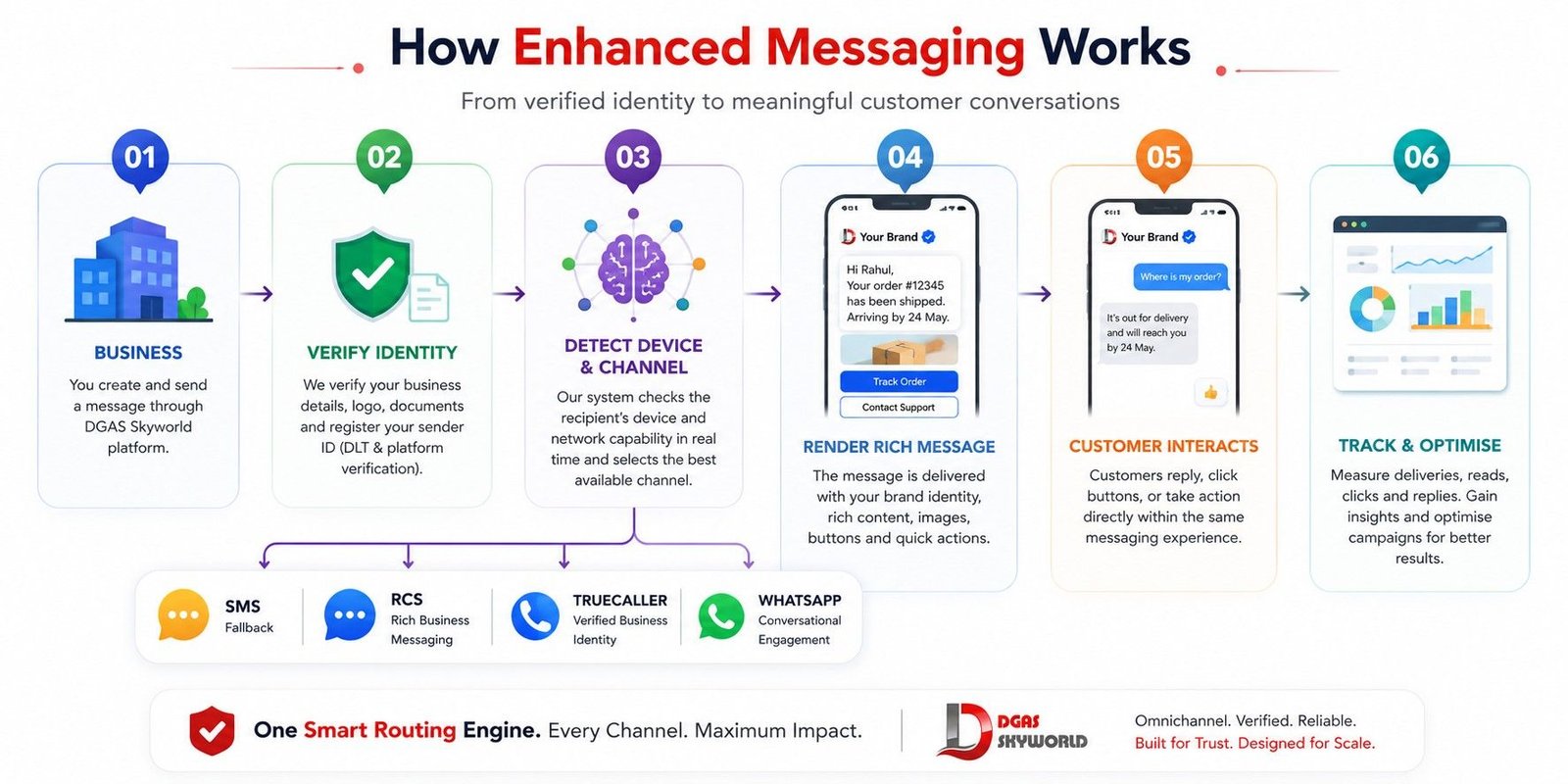
Step 1: Business Verification and Onboarding
Before any enhanced message goes out, the sending business has to prove it is who it says it is. This usually means submitting company documents, a verified logo, a support number, and a sample of the message templates you intend to send. Google, Truecaller, and WhatsApp each run this verification through their own review process — once approved, your business is registered against your sender ID (whether that’s a short code, a long code, or an alphanumeric sender) in a central directory.
In India specifically, this stage also involves DLT (Distributed Ledger Technology) registration with telecom regulators, which is mandatory before you can send any transactional or promotional SMS traffic at all. Skipping this step is the single most common reason business messages get blocked before they even reach the carrier network.
Step 2: Message Routing and Protocol Detection
When you send a message through an enhanced messaging platform, the system first checks the recipient’s device and network capability in real time. Does their phone support RCS? Is Truecaller installed? Are they on WhatsApp? Based on that check, the platform routes the message through the richest channel the device can actually render — and automatically falls back to plain SMS if none of the enhanced protocols are available. This fallback logic is exactly why enhanced messaging doesn’t create the coverage gaps that pure RCS or pure WhatsApp strategies can run into.
Step 3: Identity and Content Rendering
Once the message reaches a capable device, the messaging app pulls the verified business profile — logo, name, verified badge, and category — from the registry and renders it alongside the message. If the content includes rich cards, carousels, images, or quick-reply buttons, the native app renders these natively rather than as a link the user has to click and wait for. This is the “enhanced” part: your logo and buttons appear inside the default messaging experience the customer already trusts.
Step 4: Two-Way Interaction
Unlike traditional one-way SMS blasts, enhanced messaging is built for two-way conversation. A customer can tap a button, reply with a quick response, share their location, or make a payment, and that action gets routed back through the same channel into your CRM, chatbot, or support desk — all without the customer ever needing to open a separate app or website.
Step 5: Analytics and Reporting
Every step above generates a data point. Enhanced messaging platforms capture delivery confirmations, read receipts, button-tap events, click-through data (often down to the Google Advertising ID level for attribution), call statistics with timestamps, and drop-off points in a conversation flow. This is a level of visibility that plain SMS simply cannot offer, and it’s what lets marketing and support teams actually optimise campaigns instead of guessing.
Enhanced Messaging vs Traditional SMS vs RCS vs WhatsApp: How Do They Compare?
It helps to see these side by side, because “enhanced messaging” isn’t a single channel — it’s a strategy that uses several of these channels together depending on the audience and use case.
| Feature | Traditional SMS | RCS Business Messaging | Truecaller Business Messaging | WhatsApp Business API |
|---|---|---|---|---|
| Sender verification | None (raw number) | Verified business profile | Verified badge with caller ID trust | Green tick verified profile |
| Character limit | 160 characters | Rich cards, no practical limit | Rich cards and CTAs | Full multimedia, no limit |
| Rich media | Not supported | Images, carousels, video | Logos, images, quick actions | Images, video, PDFs, catalogs |
| Interactivity | Static text | Quick-reply buttons, carousels | Tappable CTAs | Buttons, lists, catalog, payments |
| Reach | Every mobile device | Android + growing iOS support | Users with Truecaller installed | 2 billion+ global users |
| Analytics | Delivery reports only | Read receipts, click tracking | Call and message engagement data | Read receipts, conversation analytics |
| Best for | OTP, alerts | Marketing, order updates | Fraud-sensitive calls and alerts | Global customer service, commerce |
Notice that no single channel wins on every parameter — SMS still has the widest reach because it works on every device ever made, while RCS, Truecaller, and WhatsApp each add trust and richness for the audience segments that support them. That’s exactly why serious enhanced messaging strategies don’t pick one channel; they orchestrate all of them through a single platform and let the system route intelligently based on device capability.
Key Benefits of Enhanced Messaging for Businesses
1. Higher Trust and Brand Recognition
When a customer sees your actual business name and logo instead of a random 10-digit number, they’re far more likely to open and act on the message. Verified sender identity directly tackles one of the biggest problems in mobile communication today: SMS spoofing and phishing, where fraudsters impersonate banks and e-commerce brands to steal money and data. Enhanced messaging shuts that door by cryptographically tying every message back to a verified, registered business.
2. Better Engagement and Response Rates
Industry benchmarks consistently show that rich, verified messaging channels outperform plain SMS on nearly every engagement metric — open rates, click-through rates, and conversion. RCS traffic in particular has been reported by multiple industry trackers to pull click-through rates roughly 1.8 to 2.4 times higher than standard SMS for comparable audiences, and financial services firms report that fraud alerts delivered through verified channels see meaningfully better response and resolution rates than unverified ones. Interactive elements like quick-reply buttons and carousels also cut the number of steps a customer needs to take, which directly lifts completion rates on things like appointment confirmations, payment reminders, and cart-recovery messages.
3. Reduced Fraud and Spam Complaints
Because sender identity is verified at the network level, enhanced messaging channels are much harder for bad actors to spoof convincingly. This protects both the customer and your brand reputation — a customer who has been scammed by someone pretending to be your bank is a customer who stops trusting anything that arrives from that bank in future, verified or not.
4. Actionable, Granular Analytics
Aggregated delivery statistics, read statistics, SMS open behaviour, call statistics with timestamps, and trackable link clicks give marketing teams the kind of campaign visibility that used to require a dedicated app install. This means you can finally answer questions like: did people actually read this? Did they tap the button? Where did they drop off in the flow? That data loop is what separates enhanced messaging from “spray and pray” bulk SMS.
5. Lower Development and Operational Cost
Because enhanced messaging rides on top of the native messaging and dialer apps customers already have installed, businesses don’t need to build or maintain a separate app to deliver a rich experience. There’s no app-store approval cycle, no asking customers to download anything new, and no separate infrastructure to maintain per channel when you’re working through a unified CPaaS platform.
6. Omnichannel Continuity
A customer might start a conversation over SMS, get a rich RCS card for their order status, and finish a support query on WhatsApp — enhanced messaging platforms stitch these interactions into one customer view so agents and automation systems aren’t working blind across channels.
Use Cases of Enhanced Messaging Across Industries
E-commerce and Retail
Retailers use enhanced messaging for visual product carousels that let customers browse and tap straight into checkout, real-time delivery tracking with the option to reschedule from inside the message, and abandoned-cart recovery nudges that feel personal rather than robotic. A verified sender badge on a “your order has shipped” message also cuts down on customers ignoring it as spam.
BFSI (Banking, Financial Services & Insurance)
Financial institutions are among the fastest adopters of verified messaging precisely because trust is the entire product. Fraud alerts, EMI reminders with one-tap payment links, KYC document requests, and account balance updates all benefit enormously from a verified sender badge — a customer is simply far more willing to click a payment link when the logo and verified name match their actual bank.
Retail Banking and BFSI Onboarding
New account opening and onboarding flows that used to require a branch visit or a lengthy web form can now happen inside a chat thread — a chatbot walks the customer through document upload and verification steps, with no signature or branch visit required.
Healthcare
Appointment reminders with preparation instructions and a one-tap reschedule option, test-result notifications with clear next-step guidance, and medication adherence nudges all see fewer no-shows and better follow-through when delivered as verified, interactive messages rather than a plain text that looks easy to ignore.
Travel and Hospitality
Airlines and hotels use enhanced messaging for boarding pass delivery, gate-change alerts, check-in confirmations, and post-stay feedback requests — all of which reduce inbound call-centre volume because the customer can self-serve most of these actions directly from the message.
Government and Public Sector Communication
This is a category that often gets overlooked in generic messaging guides, but it matters enormously in markets like India. Municipal corporations, universities, and public-sector undertakings send everything from property tax reminders to admission updates and public safety alerts at massive scale. Verified sender identity is critical here because impersonation of government departments is a common fraud vector — citizens need a reliable way to know a message claiming to be from a municipal body is genuine.
Logistics and Food & Beverages
Food delivery and logistics brands use conversational ordering — a customer messages a chatbot to place a repeat order — alongside live tracking updates and delivery-window confirmations, cutting down repetitive “where is my order” calls to support teams.
Enhanced Messaging Channels You Can Actually Deploy Today
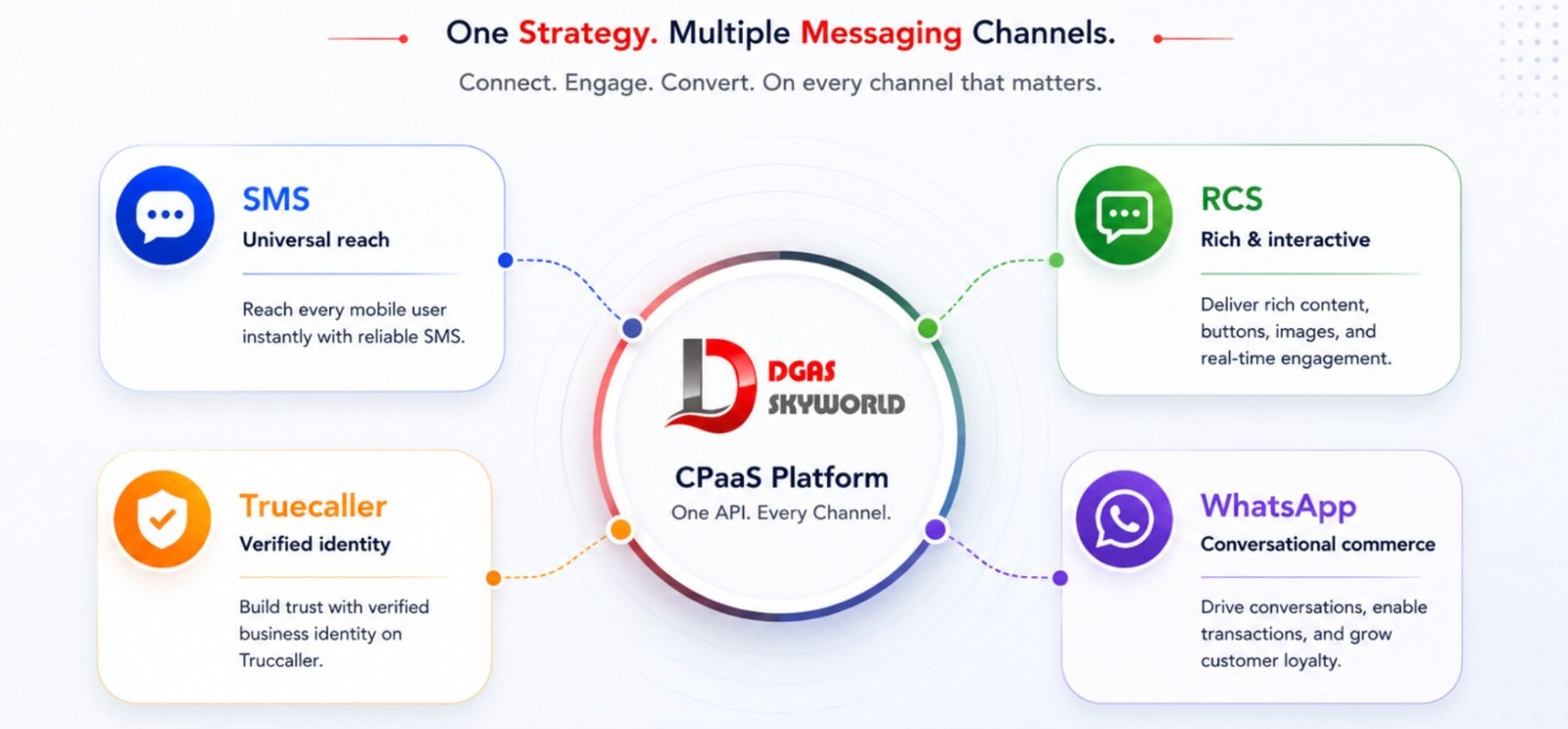
If you’re building an enhanced messaging strategy, these are the channels worth evaluating, each suited to slightly different goals:
- RCS Business Messaging turns your everyday texts into branded, interactive conversations with carousels and quick replies — best for marketing and post-purchase engagement on Android and increasingly on iOS. You can read more about setting this up on our RCS Messaging page.
- Truecaller Business Messaging puts your verified identity in front of the hundreds of millions of users who already check Truecaller before answering an unknown call — particularly effective for fraud alerts, collections, and time-sensitive notifications. Details are on our Truecaller Business Messaging page.
- WhatsApp Business API gives you the widest global, app-based reach with catalogs, payments, and chatbot automation baked in — our WhatsApp Business API page covers setup, pricing, and use cases in detail, and you can also read our dedicated guide on what WhatsApp API is and how it works.
- DLT-compliant Bulk SMS with Verified SMS branding remains the universal fallback that reaches every device. See our Bulk SMS Solutions page and our guide to SMS verification for how OTP and verification flows tie into this.
How to Implement Enhanced Messaging for Your Business
Rolling out enhanced messaging isn’t a one-click switch — it’s a short, structured process:
- Audit your current messaging. Look at what you’re sending today over SMS or email, and flag which messages would genuinely benefit from branding, richer content, or interactivity — not every OTP needs a carousel.
- Complete sender and business verification. This includes DLT registration for SMS in India, and separate verification processes for RCS, Truecaller, and WhatsApp. Budget two to four weeks for approvals.
- Pick a CPaaS partner that orchestrates all channels from one API. Managing five separate integrations for five separate channels is exactly the operational overhead enhanced messaging is supposed to eliminate.
- Design templates and interactive flows. Get your message templates, quick-reply options, and carousels approved by each platform before going live.
- Pilot with a small, measurable segment. Test click-through, response time, and conversion against your existing SMS or email baseline before scaling.
- Scale and keep optimising. Use the read receipts, click data, and conversation analytics to continually refine send times, content, and channel mix.
Compliance, Privacy, and Fraud Prevention
Enhanced messaging only works if customers trust it, and that trust depends on getting compliance right. In India, this means DLT registration for every sender ID and message template before you send a single transactional or promotional text — a step businesses frequently underestimate until their messages start getting silently blocked. Beyond DLT, best practice includes explicit opt-in consent before sending promotional content, a clear and easy opt-out option in every message, and proper data-retention practices for any customer information captured through interactive replies. Platforms that build compliance into the sending workflow — rather than leaving it to the business to track manually — save you from the fines and blocked-sender headaches that come with getting this wrong.
What’s Next for Enhanced Messaging
A few shifts are worth watching as enhanced messaging matures further:
- Cross-platform RCS reach is closing the Android-iOS gap, which means brands can finally plan a single rich-messaging strategy instead of maintaining separate playbooks for each operating system.
- AI-assisted conversation flows are moving from simple keyword-based chatbots to context-aware assistants that can handle order changes, refunds, and FAQs without human handoff.
- Payment-embedded messaging is expanding beyond BFSI into retail and logistics, letting customers complete a transaction without ever leaving the chat thread.
- Unified orchestration platforms are becoming the default rather than the exception — businesses are moving away from managing SMS, RCS, WhatsApp, and Truecaller as separate vendor relationships and consolidating onto a single CPaaS layer.
Why Businesses Choose DGAS Skyworld for Enhanced Messaging
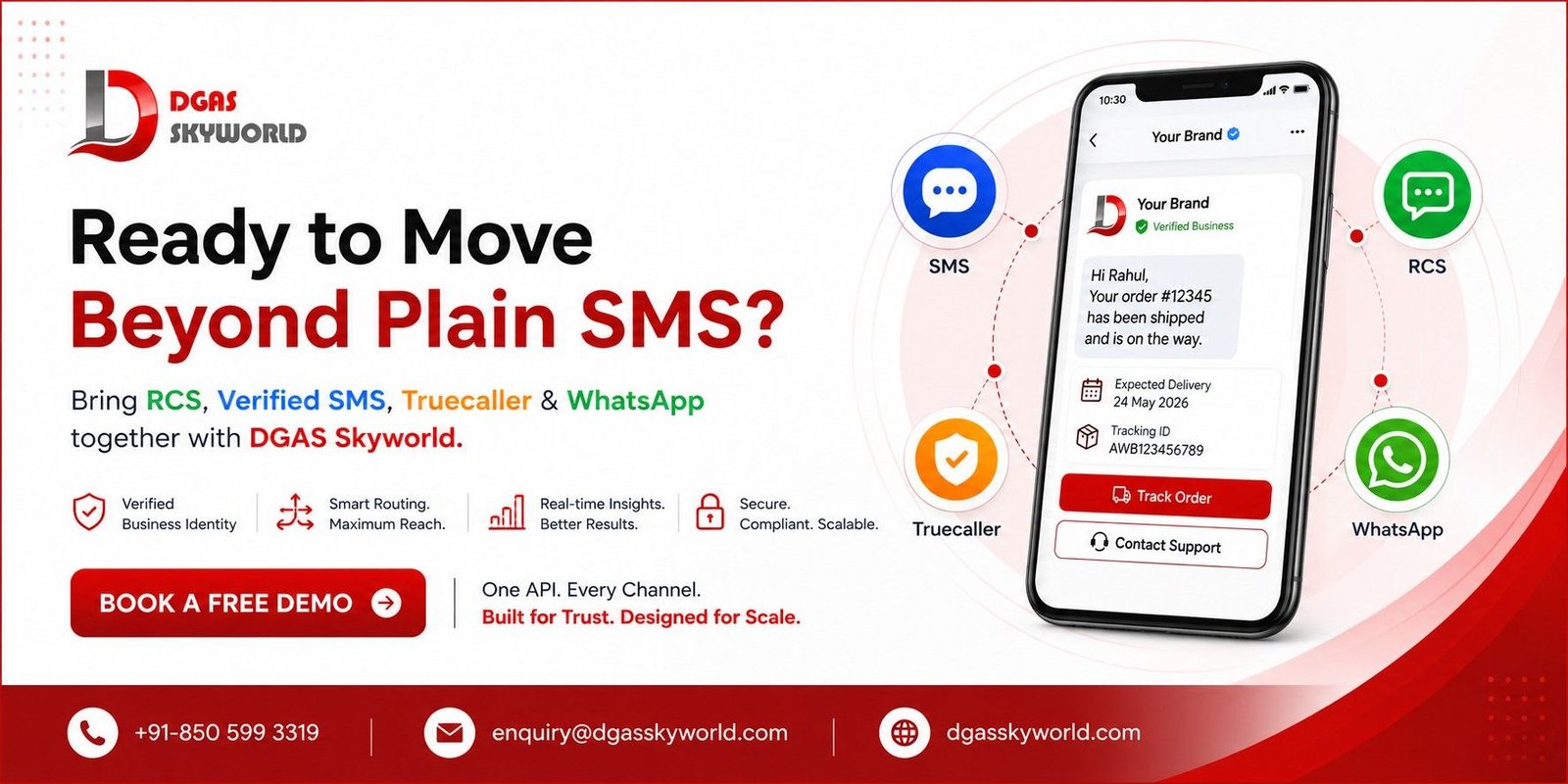
This is exactly the gap DGAS Skyworld is built to close. Rather than juggling separate vendors for Bulk SMS, RCS, Truecaller Business Messaging, WhatsApp Business API, Voice, and Email, DGAS Skyworld brings all of it into one omnichannel CPaaS platform with a single API, so your enhanced messaging strategy doesn’t turn into five different integration projects.
DGAS Skyworld has handled DLT-compliant messaging at scale for government bodies, municipal corporations, universities, and PSUs alongside private enterprises across healthcare, banking, e-commerce, and logistics — the kind of high-trust, high-volume environment where verified sender identity isn’t optional. With 12,000+ active users, 500+ trusted partners including government organisations, and strong telecom-grade routing behind it, the platform is built for businesses that need enhanced messaging to actually be reliable, not just technically possible.
If you’re evaluating how to bring RCS, Verified SMS, Truecaller messaging, and WhatsApp Business API together under one roof, it’s worth exploring the full CPaaS platform or booking a free demo to see how quickly a unified setup can go live compared to stitching channels together yourself. You can also check DLT registration requirements if that’s the first hurdle you’re facing before sending any compliant SMS traffic in India.
Frequently Asked Questions About Enhanced Messaging
1. Is enhanced messaging the same as RCS?
No. RCS is one channel inside enhanced messaging. Enhanced messaging is the broader strategy of combining Verified SMS, RCS, Truecaller Business Messaging, and OTT channels like WhatsApp so your business can reach every customer with the richest experience their device supports.
2. Does enhanced messaging work on iPhones?
Verified SMS and WhatsApp Business API work fully on iOS. RCS support on iPhone has expanded significantly since Apple added interoperable RCS to iOS, though coverage still varies by carrier and region, which is why a fallback-to-SMS strategy matters.
3. How much does enhanced messaging cost compared to regular SMS?
Pricing varies by channel and volume, but because enhanced messaging rides on your existing native messaging apps rather than requiring a separate app build, the added cost is typically limited to per-message channel fees rather than new development or maintenance overhead.
4. Is DLT registration required for enhanced messaging in India?
Yes, for any SMS component of your enhanced messaging strategy. DLT registration of your sender ID and message templates is mandatory under Indian telecom regulations before you can send transactional or promotional SMS.
5. Can small businesses use enhanced messaging, or is it only for large enterprises?
Small and mid-sized businesses can absolutely use it — most CPaaS platforms offer enhanced messaging on a pay-as-you-go or tiered basis, so you don’t need enterprise-scale volume to get verified sending and rich messaging live.
6. What happens if a customer’s device doesn’t support RCS or Truecaller?
A properly built enhanced messaging platform automatically falls back to standard SMS, so the message still gets delivered — just without the rich branding and interactive elements.
7. Does enhanced messaging help reduce SMS fraud and phishing?
Yes. Verified sender identity makes it significantly harder for fraudsters to convincingly impersonate a legitimate business, which is one of the primary reasons BFSI and government organisations have been early adopters.
8. How do I measure the success of an enhanced messaging campaign?
Look beyond delivery rate. Track read receipts, button-tap and click-through rates, conversion on linked actions (payments, bookings, form completions), and opt-out rates — enhanced messaging platforms report all of these natively, unlike plain SMS.
Wrapup – Enhanced Business Messaging
Enhanced messaging isn’t a future trend to plan for someday — it’s already the baseline customers expect from any brand that wants to be taken seriously in their inbox. The businesses winning on engagement and trust right now are the ones that verified their sender identity, added interactivity where it counts, and stopped treating every channel as a separate silo. If you’re ready to bring RCS, Verified SMS, Truecaller messaging, and WhatsApp Business API together on one platform, get in touch with DGAS Skyworld to see what a unified rollout looks like for your business.


![Automated Voice Messaging System: What It Is, Benefits, Use Cases & How to Use It [2026 Guide]](https://dgasskyworld.com/wp-content/uploads/2026/09/automated-voice-messaging-system-150x150.jpeg)