RCS Text Message: How It Works and How Indian Businesses Use It to Get More Enquiries
An RCS text message looks like the SMS your customer already knows, but it arrives with your brand name, logo, images and tap-to-act buttons attached. For a business, that changes what a text can do. Instead of pasting a link and hoping, you put the “Book a visit” button inside the message itself. This guide explains what an RCS text message is, how it reaches a phone, where it fits in India, and how to plan campaigns that produce enquiries rather than just delivery reports.
What Is an RCS Text Message?
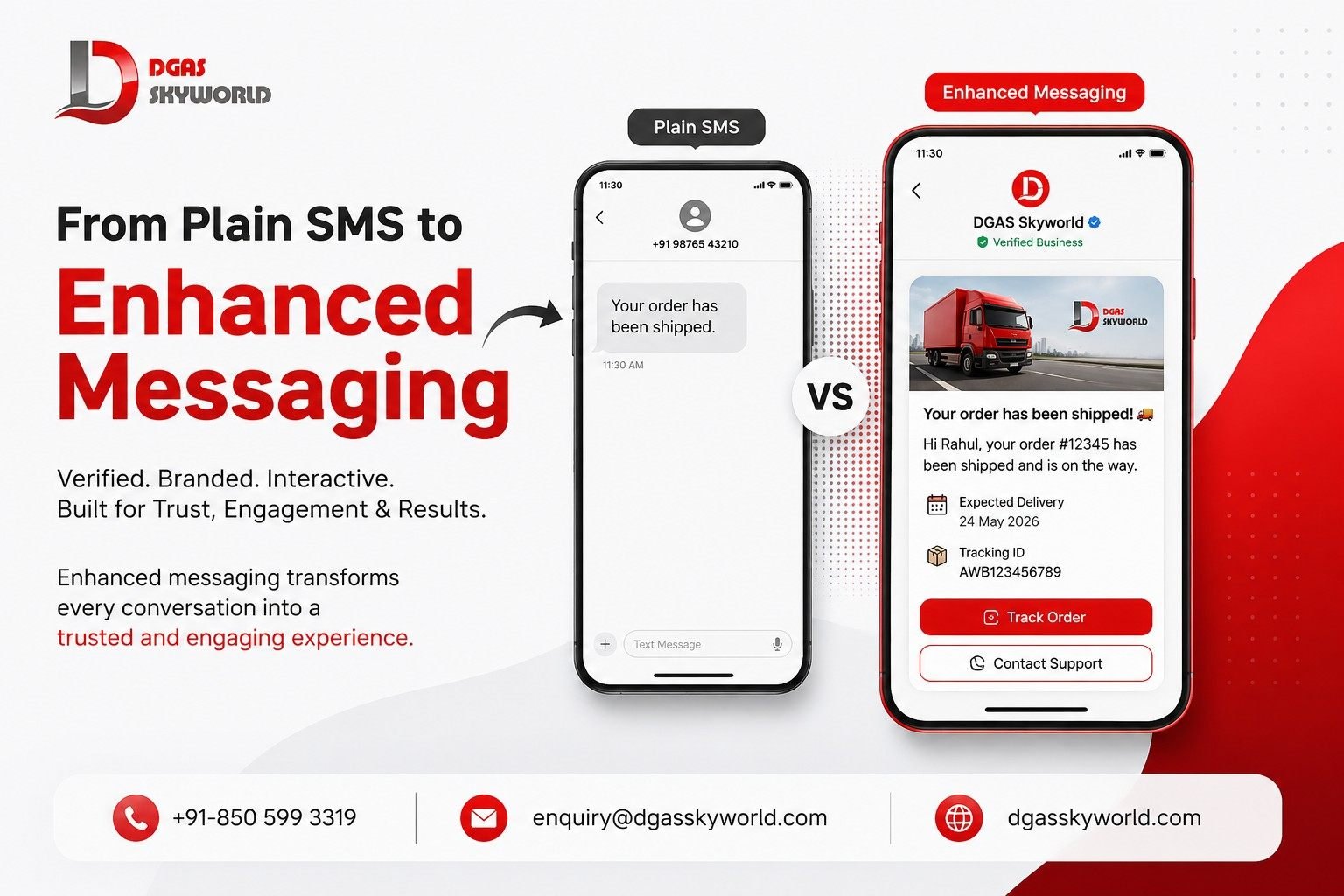
An RCS text message is a message sent over Rich Communication Services (RCS), the upgraded standard that replaces plain SMS with verified sender profiles, high-resolution media, tappable reply buttons, and delivery and read tracking, all inside the phone’s default messaging app. If the recipient’s phone or network cannot receive RCS, the message can fall back to SMS.
RCS is a GSMA industry standard, and on Android most people use it through Google Messages, so nothing has to be downloaded. That is the practical difference from WhatsApp, which needs its own app. For companies the same technology is called RCS for Business or RCS Business Messaging (RBM). A brand cannot send an RCS text message from an ordinary mobile number. It registers a branded “agent” with a name, logo and description, and that agent is verified before it can send anything. That verification is why a customer who sees your logo and badge can trust the sender in a way an unknown number never allows.
How an RCS Text Message Reaches the Customer
The delivery path has more moving parts than SMS. Knowing them helps you design better campaigns.
- Agent registration. The business submits its brand name, logo and details through its provider. Google and the operators verify the agent.
- API request. Your CRM, app or campaign dashboard sends a request to the provider’s API. A single request can carry text, rich cards, media, PDFs and suggestions.
- Capability check. The platform checks whether the recipient’s phone and network can receive RCS. If not, the request returns a “not found” response, which is your cue to trigger the SMS fallback.
- Delivery over data. For an RCS-capable user, the message travels over mobile data or Wi-Fi to the default messaging app, under your verified identity.
- Customer action. A tap on a reply chip or button sends an event with postback data back to your system, so you know exactly what the customer chose.
- Reporting. Delivery, read and button-click events return for analysis.
If the customer’s phone is offline, the platform holds the message and keeps retrying for up to 30 days unless you set an expiry. We come back to this later, because it catches many first-time senders off guard.
RCS Text Message vs SMS: Where the Difference Shows Up
| Feature | SMS | RCS text message |
|---|---|---|
| Sender identity | Sender ID or number | Verified name, logo and badge |
| Text length | 160 characters per segment | Up to 3,072 characters |
| Media | None | Images, video, audio, PDFs (up to 100 MiB per file) |
| Interactivity | None | Reply chips, action buttons, carousels |
| Tracking | Delivery report | Delivery, read, button clicks, replies |
| Connectivity | Cellular, no data needed | Needs mobile data or Wi-Fi, falls back to SMS |
SMS is still the most dependable way to reach every handset, so a sensible deployment keeps it as the safety net instead of treating the two as rivals. Use SMS for plain alerts where universal reach matters most; our bulk SMS service, transactional SMS and promotional SMS pages cover that side. Use an RCS text message when the message benefits from a button, an image or visible proof of who sent it.
What You Can Put Inside an RCS Text Message
Not every RCS text message has to be rich. The format should follow the job.
- Basic message. Up to 160 characters, the SMS-equivalent tier. You still get a verified sender, delivery receipts and URL previews if your page has Open Graph tags.
- Text with suggestions. Plain text plus reply chips and action chips. Each label is limited to 25 characters, so “Book site visit” works and “Click here to schedule your visit” does not. A message can carry up to 11 suggestions, of which up to four can stay inside the bubble.
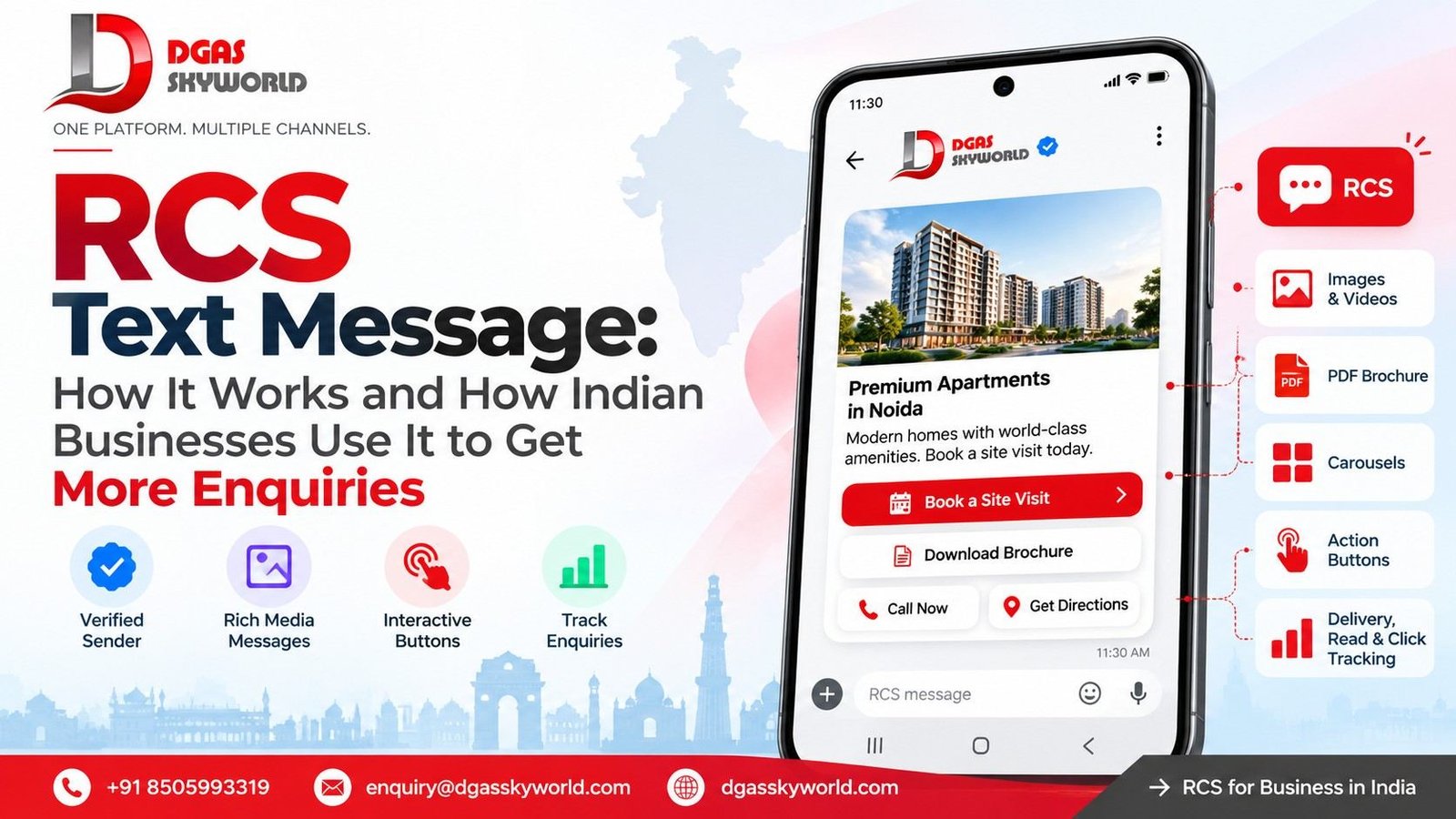
- Rich card. One image, GIF or video, a title, a description and up to four buttons.
- Carousel. Two to ten rich cards side by side, so a customer can compare options and tap on one.
- Media and PDFs. Brochures, price lists and boarding-style documents, up to 100 MiB per file. Add a thumbnail under 100 kB (50 kB or less is better).
- Suggested actions. Dial a number, open a location, share a location, open a URL (including inside the app), or add an event to the calendar.
Two habits from live deployments are worth copying. First, reuse the same file URL for identical media. The platform caches files for 60 days, and generating unique URLs per recipient slows delivery. Second, keep the first line of the text doing the work, because it is what shows in the notification.
Want to see an RCS text message built for your business? DGAS Skyworld’s team will map a sample flow for your use case. Book a free demo or call +91-850 599 3319.
Why an RCS Text Message Makes Sense in India Now
India is an Android-heavy market, and Google Messages is the default RCS client on most of those phones. Industry reports describe RCS business messaging as supported by Jio and Airtel, with Vodafone Idea’s coverage more limited, though operator support keeps changing. On iPhone, reports from September 2026 say Jio has begun commercial pricing for business RCS messages to iPhone users on its network. That points to iPhone reach starting to open up, but it depends on operator and device.
The planning takeaway is simple. Build RCS-first with an SMS fallback, and do not assume every customer will see the rich version. Ask your provider for current coverage by operator before you promise reach to your sales head.
Pricing works the same way. There is no single public rate for every RCS text message in India. Operators set rates, and they differ by message type such as marketing, transactional and OTP. Budget per use case instead of using one blended number. For background on how RCS-style enhanced messaging fits the wider picture, read our guide on what enhanced messaging is.
RCS Text Message Use Cases by Industry
These are illustrative workflows we would map with a business, not client case studies.
Real estate. A portal enquiry arrives. Within minutes the buyer gets an RCS text message with a project card, three photos and four buttons: “Book site visit”, “Brochure”, “Call sales”, “Directions”. The brochure is a PDF, the visit button writes a calendar event, and every tap lands in your CRM tagged to that lead. Your sales team sees intent, not just a delivered tick.
E-commerce and D2C. An abandoned cart triggers a carousel of the exact items left behind, each card with price and a “Buy now” button. After purchase, the same thread carries the order confirmation and a tracking card, so the customer never hunts through email.
Banking, insurance and NBFCs. An EMI or renewal reminder carries a “Pay now” button that opens your payment page inside the app. Keep confidential details out of the message body. RCS for Business is encrypted in transit but not end-to-end encrypted, so send the branded prompt and let the customer log in for specifics.
Healthcare. Appointment reminders with “Confirm”, “Reschedule” and “Add to calendar” cut phone-tag for front desks. The same caution on sensitive details applies.
Education. An admission enquiry gets a follow-up with course cards, a fee PDF and a “Request callback” chip, which gives counsellors a warm list instead of a cold one.
Logistics. A delivery update includes a “Share location” action so the rider gets a precise pin, plus a “Reschedule” chip. Fewer failed attempts means fewer repeat dispatches.
Travel and hospitality. Itineraries, check-in details and “Add to calendar” actions travel in one thread. Our WhatsApp Business API page covers the parallel workflow for customers who prefer WhatsApp.
Have one of these workflows in mind? Tell us the trigger and the action you want customers to take, and we will show you how it looks as an RCS text message with SMS fallback. Talk to our team.
Traffic Type and Expiry: Two Settings That Protect Your RCS Text Message
RBM lets you label each message by traffic type: authentication, transaction, promotion, service request or acknowledgement. The field is optional today, but setting it now avoids errors when it becomes mandatory, and it forces honest classification. An OTP is authentication. A shipping confirmation is a transaction. A festive offer is a promotion. Do not label offers as transactional to slip past scrutiny.
Expiry matters more than most teams expect. Because undelivered messages are retried for 30 days, a “today only” offer to a phone that was switched off could land weeks later and look careless. Set a time to live (TTL) on anything time-bound. The maximum is 15 days, and anything under 10 seconds risks you being told about both revocation and delivery. An OTP might expire in minutes, an appointment reminder when the slot passes, and an offer when the sale ends. Expiry also gives you a clean trigger for the fallback.
Planning the SMS Fallback
A fallback is not an afterthought. It is a second message that has to work without buttons or images. When an RCS text message cannot be delivered, because the phone is unsupported or a feature is not supported, your system should send SMS with copy that stands alone: a short link and, if useful, a keyword reply. Write both versions together.
Two operational points. SMS in India runs on DLT-registered senders and templates, so have your DLT registration ready before launch. And watch your delivery notifications. If you get a delivered event, ignore any later expiry event for that message. If you get an expiry-revoked event, treat the message as undelivered and fall back. For OTPs, always fall back when the status is uncertain. Read our explainer on SMS verification for the OTP side.
Consent and Compliance for an RCS Text Message
Commercial messaging in India is shaped by TRAI’s rules on consent, customer preferences and sending hours, and promotional traffic is where most trouble starts. Collect opt-in with a clear purpose, honour opt-outs fast, and keep promotional and service messages separate. On the Google side, content has to match the use case your agent was approved for.
One honest caveat. Providers describe the DLT requirement for RCS traffic differently, and rules in this area have been moving. Confirm in writing how consent, templates and sending hours apply to your use case at onboarding rather than relying on a blog, including ours.
How to Measure an RCS Text Message Campaign
Delivery rate alone says little. Track what matters to enquiries:
- Share of messages delivered as RCS versus fallback SMS
- Read rate
- Button-tap rate for each button
- Reply rate and reply content
- Enquiries, site visits or orders per 1,000 messages sent
- Cost per enquiry
Run a clean test: send the same offer to similar segments as an RCS text message with fallback, and as plain SMS. Compare enquiries, not opens.
One technical trap: link previews can fetch your URLs automatically. If you count web hits as clicks, filter out requests from the user agents “GoogleMessages” and “Google-PageRenderer”, or your click numbers will be inflated. Tag each button with its own UTM so your CRM can attribute enquiries correctly.
Mistakes to Avoid When Sending an RCS Text Message
- Treating it as an SMS with a picture added. Redesign the journey around one clear action.
- Putting ten cards in a carousel when three would convert.
- Writing button labels longer than 25 characters, or vague ones like “Click here”.
- Skipping expiry on time-sensitive messages.
- Sending sensitive personal or financial details in the body.
- Offering no human route. Always include a “Call us” or “Talk to an agent” chip.
- Not testing on both Android and iPhone, since suggestion display and webview behaviour can differ by client and version.
How DGAS Skyworld Helps You Launch RCS Text Message Campaigns
DGAS Skyworld is an omnichannel CPaaS platform with RCS, SMS, WhatsApp, voice, email and chatbot channels on one stack. For RCS, our RCS messaging service in India covers branded and verified senders, rich cards and carousels, interactive buttons, SMS fallback and campaign analytics for delivery, reads, button clicks and responses. The team helps with brand verification, platform setup, API integration and campaign launch, and APIs connect to your CRM, e-commerce and marketing tools.
A launch path that works:
- Pick one use case with a clear action, such as site-visit booking or EMI payment.
- Prepare agent assets: logo, brand name, description, hero image.
- Complete verification through your provider.
- Integrate through API or dashboard, with CRM events as triggers.
- Design the flow and fallback together, including expiry and traffic type.
- Pilot on a small segment and compare against SMS.
- Scale what works, then add other channels. A WhatsApp chatbot or AI chatbot can take over longer conversations.
Ready to turn your next campaign into an RCS text message that brings in enquiries? Book a free demo, write to sales.team@dgasskyworld.com, or call +91-850 599 3319.