WhatsApp Business API for Travel and Tourism: Automating Travel Customer Communication
At 10:42 AM, a Meta ad enquiry for a Kashmir package lands on your sales number. At 10:44, someone asks whether your Dubai package includes visas. Before 11:00, three more arrive. One wants Goa in January. One wants a honeymoon quote for Bali. A customer who booked Himachal last week is asking for the driver’s number because the pickup is tomorrow at 6 AM.
All five are on WhatsApp, and two executives are working from one phone.
The problem here isn’t WhatsApp availability. Every customer already has it. The problem is managing the whole customer journey without losing context: who asked for what, which quote went out, who promised a callback, whether the advance is paid, and whether the driver knows about the 6 AM pickup.
A travel business does not simply need another inbox. It needs a communication workflow. This guide is written from an implementation perspective; the examples are illustrative, not client case studies.
WhatsApp as a communication layer, not a chat channel
Marketing → Lead Capture → Qualification → Sales → Booking → Payment → Operations → Customer Support → Post-Trip
Engagement
The same thread, with the same number, history and customer record, can carry a traveller from ad click to review request. That only works if WhatsApp is connected to the CRM, booking engine, payment gateway, website, Meta and Google Ads, helpdesk and agent dashboard. The important question is not whether WhatsApp can send a message. It is what should trigger that message, what data should accompany it, and what happens after the customer replies.
WhatsApp Business App vs WhatsApp Business API
New to the platform? Our guide on what the WhatsApp API is covers the basics, and the WhatsApp Business API page explains how DGAS Skyworld offers it. This section focuses on the travel decision.
| Factor | Business App | Business API |
|---|---|---|
| Users | One phone plus a few linked devices | Many agents via a shared dashboard |
| Automation / chatbot | Quick replies, away messages | Trigger-based workflows, bots with handover |
| CRM / API integration | None natively | Two-way data with CRM, booking, payment |
| Templates / notifications | Limited, manual | Approved templates, event-triggered |
| Team handling | Shared phone, no routing | Routing, assignment, escalation |
| Analytics | Basic | Delivery, read, template data plus your KPIs |
| Booking workflows / journey | Manual copy-paste; chat history only | Booking events trigger messages; chat tied to customer record |
| Scalability / enterprise use | Not suited | Designed for it, within Meta’s messaging limits |
The Business App is enough for a very small agency with a few enquiries a day and no need for CRM sync. The API becomes appropriate when several agents share conversations, you run ads into WhatsApp, confirmations and reminders must fire automatically, or you need to know what happened to every lead. Meta also supports a coexistence mode for numbers already on the Business App; providers document functional limitations, so check current restrictions before choosing it.
The traveller’s journey on WhatsApp
1. Lead generation
Leads arrive from Meta Click-to-WhatsApp ads, Google Ads, website buttons, QR codes, social profiles, referrals and existing customers. If a user messages you through a Click-to-WhatsApp ad and you reply within 24 hours, Meta opens a 72-hour window in which your messages to that user are free.
2. Lead qualification
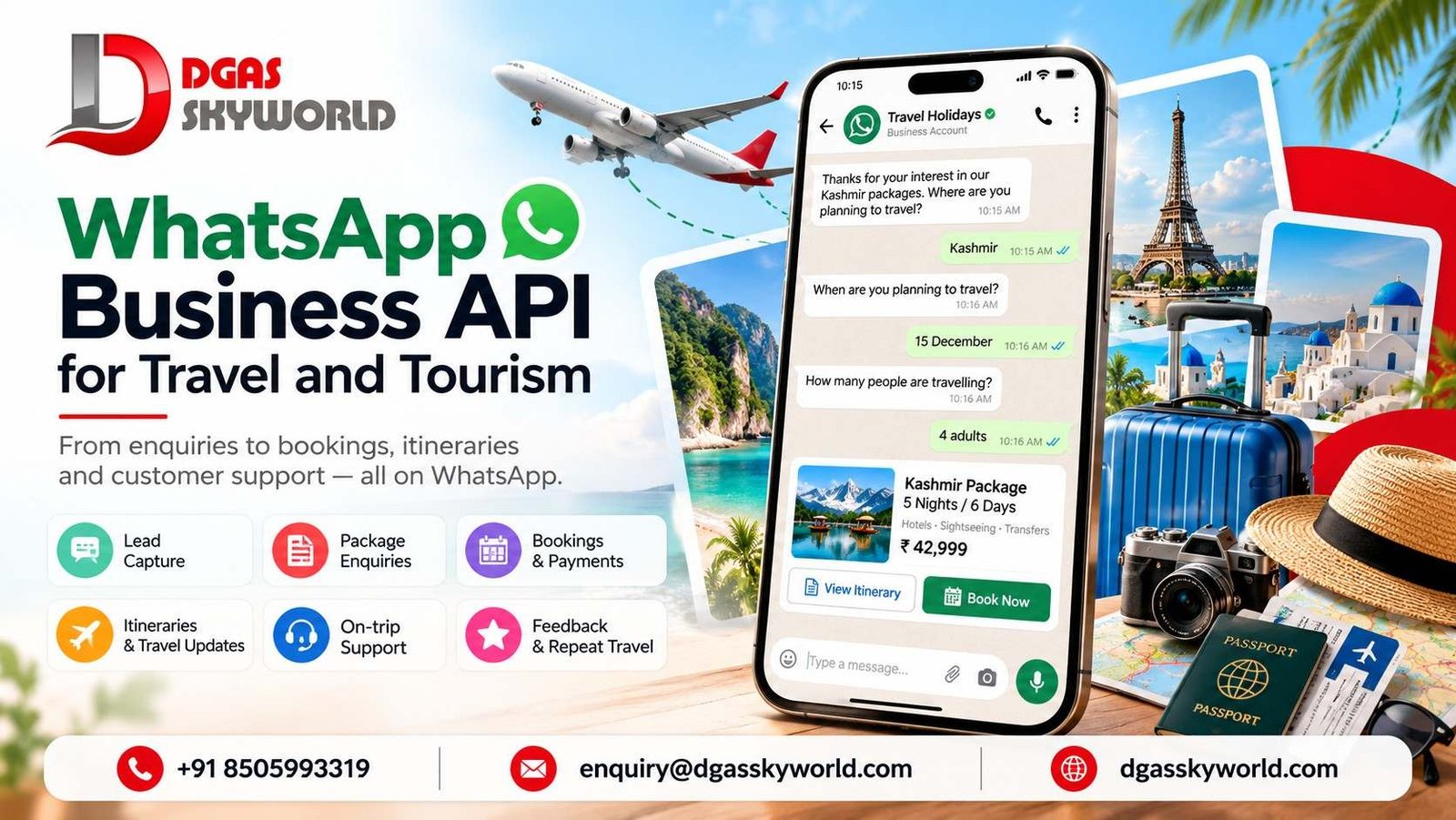
Bot: Thanks for your interest in our Kashmir packages. Where are you planning to travel?
Customer: Kashmir
Bot: When are you planning to travel?
Customer: 15 December
Bot: How many people are travelling?
Customer: 4 adults
The answers are captured, the lead is created in the CRM, and a sales executive receives the conversation with context attached. The bot can also collect budget, hotel category, departure city, transport preference, activities and domestic/international requirement.
3. Sales
Here the human takes over: package PDFs, hotel photos, a houseboat video, a quotation, negotiation and customisation. The bot stops when a customer asks for a custom route, a price match, a special occasion or raises a complaint.
4. Follow-up
Quote sent but no reply. “I’ll discuss with my family.” “Can you do a better price?” “I’ll book next week.” Structured follow-up uses CRM stages, time-based triggers and agent tasks, with one relevant nudge at a sensible time, not blasts.
5. Booking and 6. Payment
The thread carries booking ID, traveller and hotel details, payment status, invoice and documents. WhatsApp carries the communication: payment link, confirmation, failed-payment alert, balance reminder. The payment gateway processes the payment and reports status through its own webhook; WhatsApp is the messenger, not the processor.
7. Pre-trip and 8. During the trip
Itinerary, hotel confirmation, flight details, pickup instructions, driver details, emergency contact, check-in instructions and a checklist, delivered at the right time. During the trip, messages like “Driver hasn’t arrived” or “My flight has been delayed” need a human with the operations team’s context. Automation can answer “Where is the pickup point?” instantly with a location pin.
9. Post-trip
Feedback, review prompt, satisfaction check, referral request, repeat-booking nudge and future-trip recommendations, with timing and permission handled carefully.
16 practical WhatsApp workflows
Every workflow follows the same pattern: a trigger starts it, the system acts, a message goes out, the customer responds, the business updates its records, and a human steps in when needed. The table shows the trigger, the message (with its type) and the human handover point. Sample copy is illustrative.
| Workflow | Trigger | Example WhatsApp message | Human handover |
|---|---|---|---|
| 1. New enquiry | Customer taps a Kashmir ad; webhook creates a CRM lead with campaign and ad ID | (Service) “Thanks for enquiring about Kashmir. A few quick questions so we send the right options.” | Complex request or complaint |
| 2. Lead qualification | Customer replies; bot validates and writes answers to CRM fields | (Service) “How many people are travelling? [2] [3–4] [5+]” | High budget, large group, inconsistent answers |
| 3. Destination selection | “Not sure where to go” | (Service list) “December options: Kashmir, Himachal, Rajasthan, Kerala.” | Customer wants bespoke advice |
| 4. Package recommendation | Qualification complete; CRM matches packages | (Service) “Two Kashmir packages for 4 adults in December. [View 5N/6D] [View 7N/8D]” plus PDF | Immediately, for sales conversation |
| 5. Quotation delivery | Executive finalises quote in CRM; PDF sent via API | (Service) “Here’s your customised quote, valid until 8 Dec.” | Any price or itinerary change |
| 6. Abandoned enquiry | Quote sent, no reply, window closed | (Marketing template) “Your Kashmir quote is still open. Want us to adjust anything? [Yes, call me] [Not now]” | Any reply asking for changes |
| 7. Sales follow-up | “I’ll discuss with my family”; executive sets a CRM reminder | (By executive) “Hope the family discussion went well. Shall I hold the hotel rates another day?” | Human-led; system handles timing |
| 8. Booking confirmation | Booking created in booking system | (Utility template) “Booking confirmed. ID {{1}}. Kashmir, {{2}} to {{3}}, {{4}} travellers.” | Customer disputes a detail |
| 9. Advance payment reminder | Booking held; gateway generates link | (Utility template) “Advance of ₹{{1}} for booking {{2}} is due by {{3}}. [Pay now]” | Extension or payment problems |
| 10. Payment confirmation / failure | Gateway webhook reports success or failure | (Utility template) “Payment of ₹{{1}} received for booking {{2}}. Receipt attached.” | Repeated failures; debited but unconfirmed |
| 11. Hotel confirmation | Vouchers issued | (Utility template) “Your hotel in Srinagar is confirmed. Voucher attached.” | Change or upgrade requests |
| 12. Itinerary delivery | Scheduled days before departure | (Utility template) “Your day-wise itinerary and packing checklist are attached.” | Questions the bot can’t answer |
| 13. Airport pickup notification | Day before arrival; pickup time pulled from booking | (Utility template) “Pickup tomorrow at {{1}} from {{2}}.” | Any change to time or place |
| 14. Driver details | Driver assigned | (Utility template) “Your driver is {{1}}, {{2}}, vehicle {{3}}.” | Immediate, for any live-trip problem |
| 15. Flight delay / disruption | Delay reported by airline or customer; operations updates booking | (Utility or service) “We’ve noted your delay. Your driver has been informed.” | Missed connections, rebooking, compensation |
| 16. Post-trip feedback | One day after trip ends | (Utility template, trip-specific) “How was your Kashmir trip? [Great] [Okay] [Not good]” | Any low score, with a human follow-up call |
The technical foundation
| Concept | What it is | Why a travel business cares |
|---|---|---|
| Business Platform, WABA, business number | Meta’s API product, your business identity and number | Official route to automation; consistent branding across agents |
| API and webhooks | Systems send messages; webhooks report replies and statuses in real time | CRM and booking events trigger messages; you learn at once when a send fails |
| Templates | Pre-approved messages for business-initiated contact | Needed for confirmations and reminders outside the 24-hour window |
| Customer service window | 24 hours of free-form messaging after a customer writes; resets on each new message | Free-form sales chat happens here |
| Buttons, lists, media, documents, Flows | Tappable replies, menus, files, structured forms | Faster qualification; itineraries and vouchers |
| Chatbot and agent handover | Automated logic and passing a chat to a person | Handles repetitive questions; protects high-value conversations |
| CRM, booking, payment integration | Data exchange between systems | One customer record, no copy-paste |
| Delivery/read status, logs, security | Per-message tracking and access control | Proof of what was sent; passports and phone numbers are sensitive data |
- A successful API response means the request was accepted, not delivered. Track delivery through status webhooks.
- Delivery order across several messages isn’t guaranteed. Confirm one is delivered before sending the next in a sequence.
- Send numbers with a plus sign and country code, or your own country code may be added and the message can reach the wrong person.
Connecting the systems
Integration scope depends on your stack. DGAS Skyworld’s integrations page lists the tools it connects with.
Ad / Website → WhatsApp → WhatsApp Business Platform → Bot / Qualification → CRM → Sales Executive → Quotation
→ Payment → Booking System → Itinerary → Customer Support → Feedback
| From → To | Data |
|---|---|
| Ad / Website → WhatsApp | Campaign, ad ID, destination interest, UTM source |
| Bot → CRM | Destination, dates, travellers, budget, hotel category, departure city, consent status |
| CRM → Executive | Chat history, qualification answers, lead score |
| Payment gateway → CRM / Booking | Payment status, amount, transaction reference |
| Booking system → WhatsApp | Booking ID, hotel, flight, pickup, driver details |
| WhatsApp → CRM | Replies, delivery status, opt-out flags |
The chatbot’s role and its limits
A WhatsApp chatbot can answer FAQs, capture requirements, offer destination options, share basic packages, check booking status, route conversations and trigger handover. It should not replace a travel consultant. A honeymoon couple choosing between two resorts doesn’t want a decision tree, and a family with a cancelled flight doesn’t want a menu.
Automation handles repetitive communication; humans handle high-value conversations, negotiation, complex requests and exceptions, and the handover should carry full context. If you use an AI chatbot in the bot, note that since January 15, 2026 Meta’s terms restrict general-purpose AI assistants as a primary offering, while customer-service bots for tasks like bookings remain allowed.
Examples by travel business type
| Type | Problem → workflow → example → benefit |
|---|---|
| Travel agencies | Enquiries from many ads → ad, qualification, CRM, executive → Goa lead captured with dates and headcount → executives start with context |
| Tour operators | Group departures and documents → batch threads and reminders → pilgrimage tour with ID collection and coach details → fewer last-minute calls |
| DMCs | Coordinating agents and ground partners → booking-linked notifications → Bali transfer details per agent booking → clear partner status |
| Hotels & resorts | Pre-arrival coordination → arrival-time message and transfer offer → Rajasthan heritage hotel → smoother arrivals |
| Flight booking companies | Schedule changes → ticket delivery and delay alerts with handover → e-ticket and delay alert → faster help |
| Visa consultants | Document chasing → checklist and status updates → Dubai visa pending-documents reminder → fewer incomplete submissions |
| Corporate travel | Approvals and changes → confirmation and itinerary updates → Singapore trip in one thread → faster rebooking |
| Adventure tourism | Safety, weather, waivers → waiver link, weather alerts, gear list → Himachal trek → better preparedness |
| Honeymoon & luxury | High expectations → human-led concierge thread, automated logistics → Kerala houseboat preferences → personal feel, efficient operations |
Compliance
Rules change, so verify against Meta’s current documentation before launch.
- Opt-in and consent: Businesses must obtain opt-in before messaging people on WhatsApp. It must clearly state that the person is opting in and name the business, and can be collected via SMS, a website, IVR or paper, provided applicable law is followed. Keep a record of how and when consent was given.
- Templates: Utility templates must be non-promotional and tied to the user’s own booking or request. Mixed content is treated as marketing, and cart-style retargeting counts as marketing even when requested. “Your quote is still open” is marketing; “advance due for booking 4821” is utility. Meta can reclassify templates, and repeated misuse can trigger restrictions.
- Service conversations: Free-form replies inside the 24-hour window; approved templates outside it.
- Opt-out and quality: Give clear opt-out instructions and consider separate opt-in by message category. Low message quality over time can lead to rate limiting.
- Messaging limits: New business portfolios start at 250 unique users per day for messages outside the service window, scalable to 2,000 and beyond through verification and quality.
- Data and privacy: India’s DPDP Rules were notified in November 2025 with an 18-month phased compliance period and require a clear, separate consent notice. Treat chat logs as personal data, define retention, and avoid collecting identity documents in chat unless secured. Get legal advice for your obligations.
Pricing: three layers
- Meta/WhatsApp charges: Since July 1, 2025, Meta charges per delivered template message, by category and recipient country calling code. Free-form messages inside an open window are free, as are utility templates sent inside one. Marketing templates are always charged. Utility and authentication rates can drop at higher monthly volumes.
- API/technology provider charges: Platform access, dashboard, bot tools and support, varying by provider.
- Implementation and integration costs: CRM, booking and payment integrations, template design, bot flows, testing, training.
Meta changes pricing only on the first day of a quarter. For India, INR billing localisation began in January 2026 for eligible partners and direct clients, with accounts needing migration to INR by 31 December 2026. Check Meta’s live INR rate card rather than relying on quoted figures.
KPIs to measure
Lead response time, WhatsApp enquiry volume, qualified leads, lead-to-booking rate, follow-up completion, payment completion, booking cancellation, support response time, repeat booking, customer satisfaction, cost per qualified lead, and revenue from WhatsApp leads. Set a baseline before launch and compare against your own data.
12 common mistakes
| Mistake | Consequence |
|---|---|
| Treating WhatsApp only as an inbox | Leads stay scattered; nothing connects to bookings |
| Automating everything | Customers feel trapped; high-value deals lost |
| No human handover | Complex requests dead-end in the bot |
| Poor lead qualification | Executives waste time on mismatched enquiries |
| No CRM integration | Duplicate entry, lost context, no reporting |
| Sending irrelevant messages | Blocks and reports lower quality rating |
| Ignoring consent | Policy and legal risk |
| No follow-up logic | Quotes go cold silently |
| No delivery tracking | Failed confirmations unnoticed |
| No escalation process | Live-trip problems wait in a queue |
| No customer history | Customers repeat themselves to each agent |
| No post-booking communication | Relationship ends at payment |
How we would approach a WhatsApp implementation for a travel business
- Understand the customer journey. Map Lead → Qualification → Sales → Booking → Payment → Travel → Support → Feedback and find where conversations break.
- Identify automation opportunities. Sort steps into fully automated, semi-automated and human-led.
- Connect systems. WhatsApp, CRM, website, booking system, payment gateway and internal tools.
- Build communication workflows. Triggers, templates, routing and escalation.
- Test. Delivery, templates, webhooks, API responses, handover, failed messages, customer replies, payment events.
- Measure. Track the KPIs from day one.
- Optimise. Adjust questions, timing and templates based on customer behaviour.
How to choose a WhatsApp API provider
Check official platform access, API reliability and SLA, delivery reporting and message logs, template management, webhooks and integration capabilities, CRM integration, chatbot and human handover, analytics, security and data handling, scalability, technical support, and pricing transparency with Meta charges, platform fees and services shown separately.
DGAS Skyworld works across WhatsApp Business API and business messaging, chatbot and AI chatbot integration, CRM and API integration, notifications and broadcast, plus transactional SMS, RCS messaging, email API and voice solutions on one omnichannel CPaaS platform. For travel, WhatsApp can be one channel in a broader flow. Scope for a specific booking engine or payment gateway is defined during requirements discussion.
FAQ’s: WhatsApp Business API for Travel and Tourism
1. Is WhatsApp Business API suitable for small travel agencies?
Yes, if you have several agents, run ads into WhatsApp or need automated confirmations. A very small team with low volume may be fine on the Business App for now.
2. Can it send booking confirmations automatically?
Yes. A booking event triggers an approved utility template with the booking details.
3. Does automation replace travel agents?
No. It handles repetitive communication; agents handle negotiation, custom itineraries and exceptions.
4. Can I message everyone in my contact list?
Not without opt-in. Marketing templates are charged per delivered message, and poor quality can limit your account.
5. Does WhatsApp process payments?
No. Your payment gateway does; WhatsApp delivers the link and status messages.
6. Can I use AI in my travel chatbot?
Yes, for your own customer-service tasks. Meta restricts general-purpose AI assistants as a primary offering.
Conclusion: WhatsApp Business API for Travel and Tourism
For a travel business, WhatsApp becomes valuable when it is connected to the entire customer journey, rather than being treated as another chat inbox. The traveller who asks about Kashmir at 10:42 AM, pays an advance on Tuesday, asks about the driver at 5:45 AM on departure day and leaves a rating a week later should feel like they dealt with one organisation that remembered them.
Planning to build a WhatsApp-based customer communication workflow for your travel business? Talk to DGAS Skyworld about your use case, integration requirements and automation strategy.
Related reading from DGAS Skyworld
- What is WhatsApp API? A Complete Guide for Businesses (2026)
- Best WhatsApp Chatbot for Business in India: Complete 2026 Guide
- What Is Enhanced Messaging Service? (RCS, 2026 Guide)
- Automated Voice Messaging System: What It Is and How to Use It
Sources
- Meta: Pricing on the WhatsApp Business Platform; Service messages and customer service windows; Get opt-in; Messaging limits; Template categorization (developers.facebook.com/documentation/business-messaging/whatsapp)
- WhatsApp Business Messaging Policy (business.whatsapp.com/policy)
- PIB, DPDP Rules 2025 notified (static.pib.gov.in)
- WhatsApp Business Solution Terms, AI-provider update effective January 15, 2026 (link the primary terms when publishing)