How to Send Automated Messages on WhatsApp: Complete 2026 Guide
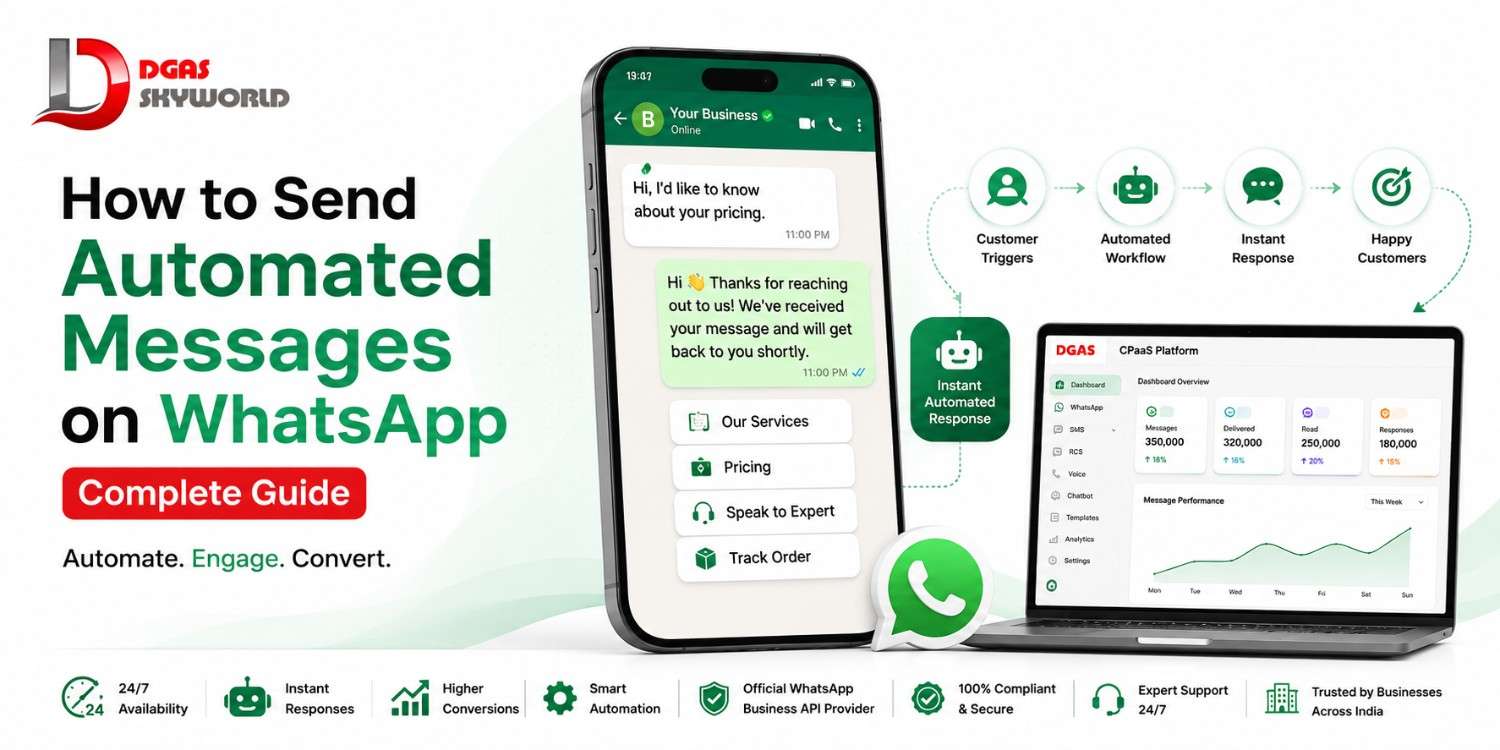
Picture this: a potential customer messages your business on WhatsApp at 11 PM asking about pricing. You’re asleep. By the time you reply the next morning, they’ve already messaged three of your competitors — and bought from whoever answered first.
This happens to businesses every single day. And it’s completely avoidable.
Automated WhatsApp messages let you respond instantly, round the clock, without a single person sitting by the phone. Whether it’s a warm welcome to a new subscriber, an order confirmation, or a quick answer to a frequently asked question, automation makes sure no conversation — and no lead — falls through the cracks.
In this guide, we’ll walk through every practical way to set up automated WhatsApp messages, compare the three real methods available to you (App, API, and CPaaS), flag the India-specific compliance rules most guides skip, and help you pick the right approach for where your business actually stands today.
What Are Automated WhatsApp Messages?
Automated WhatsApp messages are pre-written responses or message sequences that get sent to a contact automatically, triggered by a specific action — someone messages you, joins a list, abandons a cart, or hits a birthday on your calendar. No manual typing required.
But here’s where a lot of businesses get confused: there’s a real difference between a basic auto reply and true WhatsApp automation.
| Term | What it actually means |
|---|---|
| Auto-reply / Away message | A single static message sent when you’re unavailable. No logic, no follow-up, no personalization beyond a name field. |
| WhatsApp automation | A full workflow — entry point, conditions, delays, and multi-step actions — built to handle an entire customer journey, not just one reply. |
| Chatbot automation | Automation that can understand user input (via buttons, keywords, or AI) and branch the conversation accordingly. |
If you’ve only ever set up an away message, you’ve automated a fraction of what’s actually possible. Real automation is what turns WhatsApp from a one-to-one chat app into a working part of your sales and support engine.
Why Businesses Are Moving to WhatsApp Automation
A few reasons this has become non-negotiable for growing businesses:
- Speed wins deals. Leads that get a response within minutes convert at dramatically higher rates than leads left waiting hours.
- 24/7 coverage without 24/7 staffing. Automation doesn’t take weekends off.
- Consistency. Every customer gets the same accurate, on-brand information — no variation based on who’s replying.
- Scale without headcount. One workflow can handle a hundred conversations as easily as it handles one.
- Lower operational cost. Less manual back-and-forth means your support and sales teams focus on conversations that actually need a human.
Now let’s get into exactly how to set this up.
3 Ways to Automate WhatsApp Messages
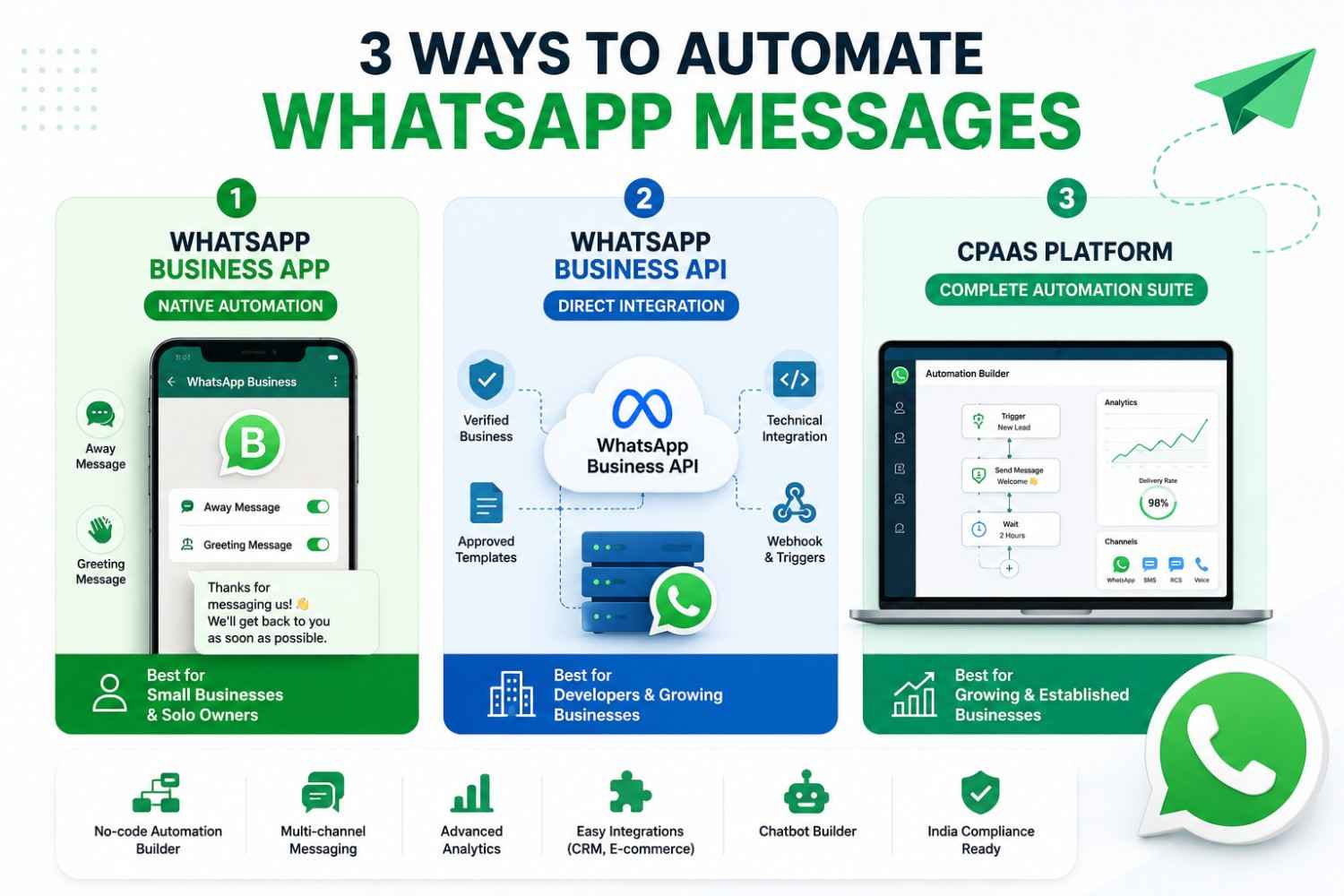
There are three real routes to automating WhatsApp — and each one fits a different stage of business. Understanding the difference before you commit will save you a lot of rework later.
Method 1: WhatsApp Business App (Native Automation)
The free WhatsApp Business App has basic built-in automation — mainly Away Messages and Greeting Messages.
How to set it up:
- Open the WhatsApp Business App and go to Settings (or the three-dot menu on Android).
- Tap Business Tools.
- Select Away Message or Greeting Message.
- Toggle it on and write your message.
- Set a schedule — Always Send, Custom Schedule, or Outside Business Hours.
- Choose recipients — Everyone, Everyone Not in Address Book, or a custom selection.
- Save.
Where it falls short:
- Only one static message per trigger — no follow-up sequences
- No bulk sending or broadcast automation
- No CRM or website integration
- No analytics on delivery, opens, or engagement
- Character limits and no dynamic personalization beyond a name
This method works fine if you’re a solo business owner managing a handful of chats a day. The moment you’re handling real volume, it becomes a bottleneck rather than a solution.
Method 2: WhatsApp Business API (Direct Integration)
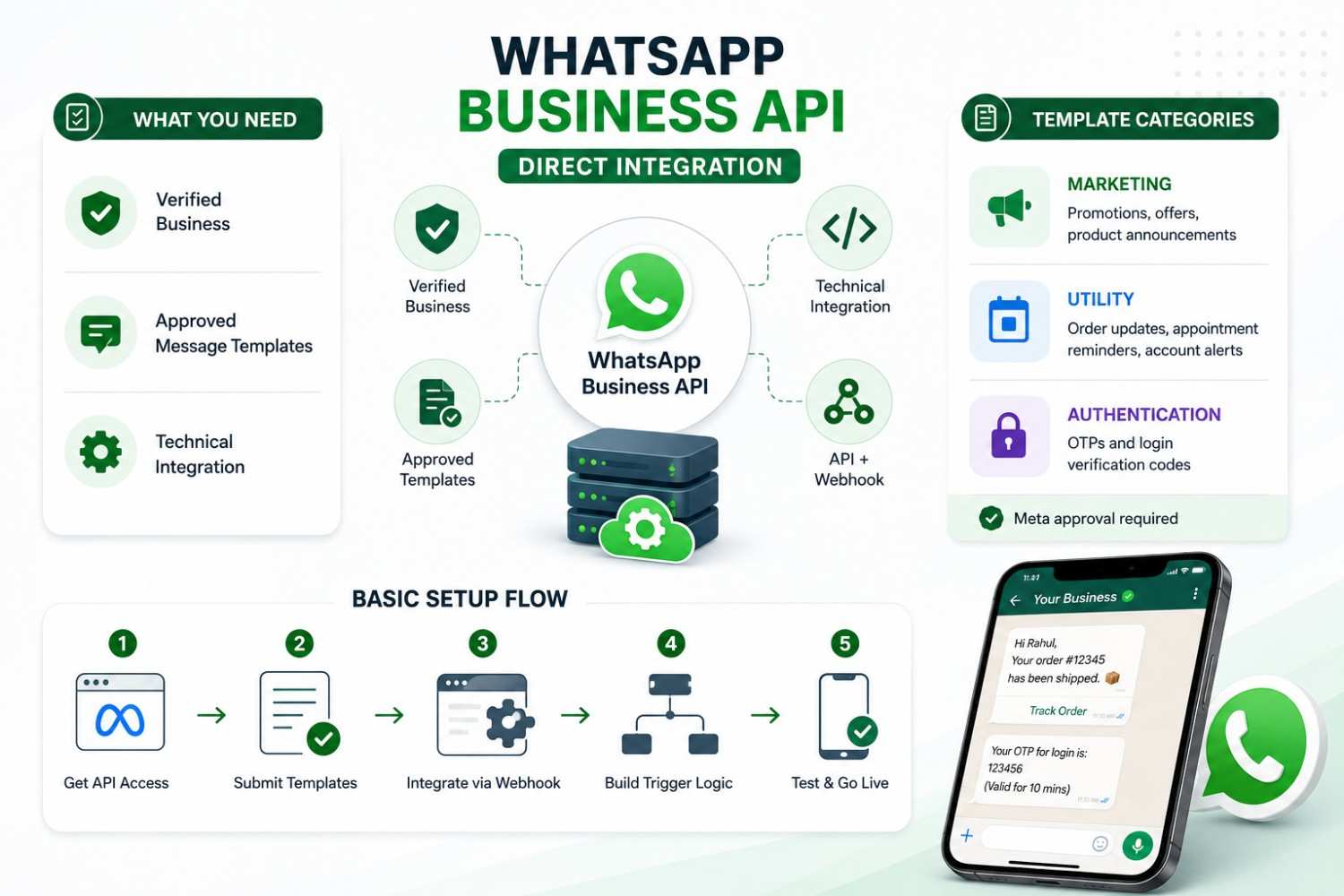
The WhatsApp Business API is Meta’s official infrastructure for businesses that need to send messages programmatically — at scale, with automation logic, and often through a chatbot layer.
What you need before you start:
- A verified business (Meta requires business verification for API access)
- Approved message templates for anything sent outside a live customer conversation
- A technical integration — either custom-built or through a provider
Understanding template categories (something most guides skip entirely):
| Category | Used for |
|---|---|
| Marketing | Promotions, offers, product announcements |
| Utility | Order updates, appointment reminders, account alerts |
| Authentication | OTPs and login verification codes |
Every template needs Meta’s approval before it can be used in an automated flow — usually within minutes, though some templates go through manual review that can take up to 24 hours.
Basic setup flow:
- Get WhatsApp Business API access through Meta or an approved provider
- Draft and submit your message templates for approval
- Integrate the API with your CRM, website, or automation platform via webhook
- Build your trigger logic (e.g., “when order is placed → send confirmation template”)
- Test the flow with a sample contact before going live
The catch: raw API access gives you the pipes, not the dashboard. You’ll need developer resources to actually build and maintain the automation logic — which is exactly the gap CPaaS platforms are built to close.
Method 3: CPaaS Platform (Best for Growing & Established Businesses)
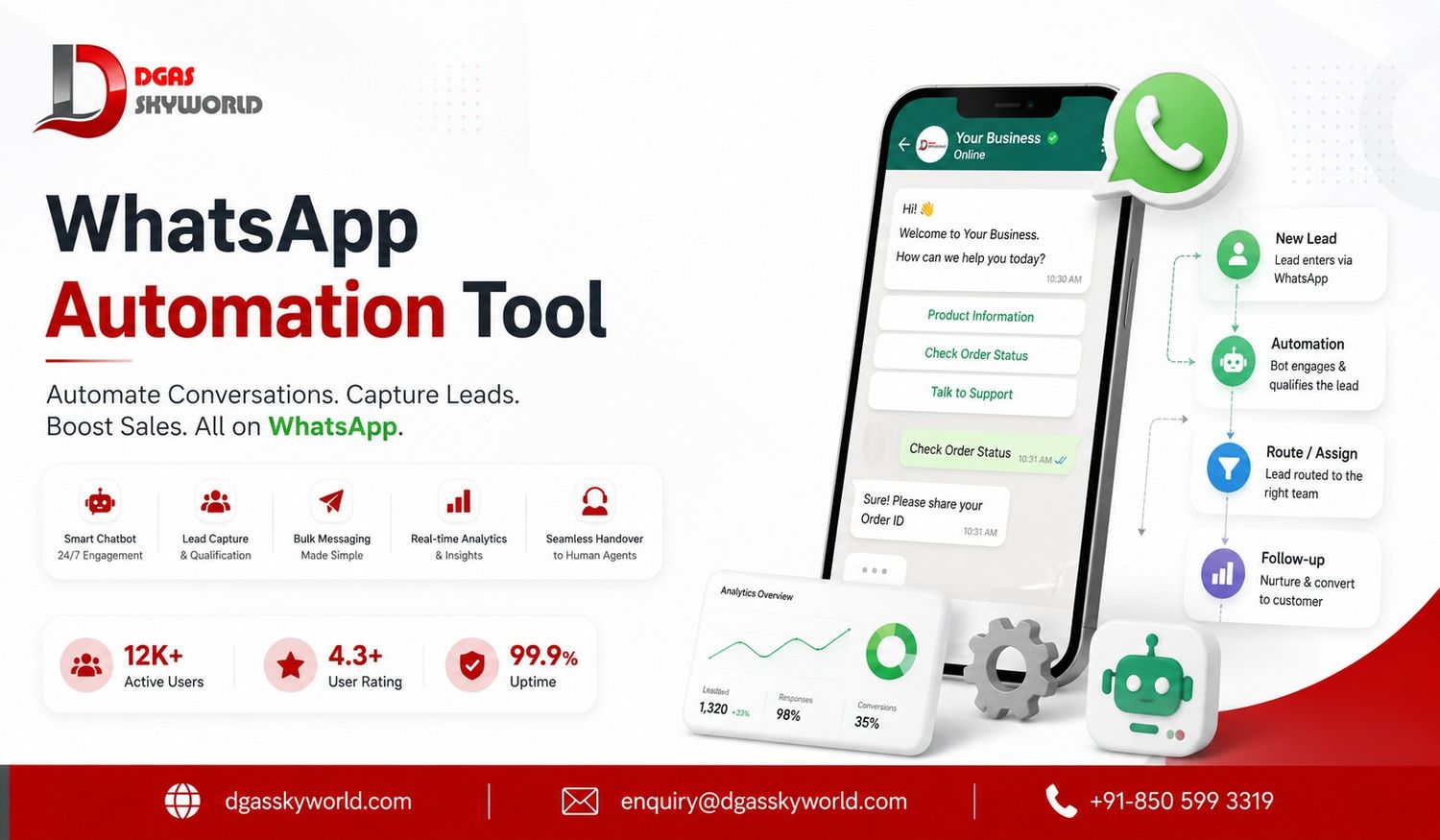
This is where most businesses eventually land once WhatsApp becomes a serious part of their customer communication strategy. A CPaaS (Communications Platform as a Service) sits on top of the WhatsApp Business API and gives you a no-code dashboard to build, launch, and monitor automation — often alongside SMS, RCS, and voice channels in the same place.
What changes with a CPaaS platform:
- Visual, drag-and-drop automation builder — no developer needed for most flows
- Multi-channel fallback (e.g., message undelivered on WhatsApp → automatically retry via SMS)
- Built-in analytics: delivery rates, read rates, response times
- CRM and e-commerce platform integrations out of the box
- Chatbot builder for FAQ handling and lead qualification
- Support for India-specific compliance requirements from day one
What’s the Benefit of Running WhatsApp Automation Through a CPaaS Platform?
When you run your WhatsApp automation through a CPaaS platform, you’re no longer limited to WhatsApp alone. A single dashboard lets you manage WhatsApp, SMS, and Voice together — so if a customer isn’t reachable on WhatsApp, the message can automatically fall back to SMS or a voice call instead. This significantly improves delivery reliability. On top of that, CPaaS platforms run on official Meta-approved infrastructure, which improves both the deliverability and trust score of your messages. And most importantly, compliance requirements — like DLT registration — come built-in, so you don’t have to handle a separate legal or technical setup on your own.
This is the route most businesses outgrow the App and raw API into — it gives you the automation power of the API with none of the development overhead.
Not sure which method fits your business size? Talk to our automation specialists — we’ll map out the right setup in a 15-minute call, free of cost.
Step-by-Step: Setting Up Automated WhatsApp Messages (API/CPaaS Route)
If you’re serious about automation beyond basic away messages, here’s the practical sequence to follow:
- Get WhatsApp Business API access through an official provider — not a reseller. (More on why this distinction matters below.)
- Create and submit your message templates for Meta approval, categorized correctly as Marketing, Utility, or Authentication.
- Map your customer journey — identify the trigger points where automation adds real value (new subscriber, purchase, abandoned cart, appointment reminder).
- Build the automation flow — entry point, any delay or condition, then the action (send message).
- Layer in a chatbot for FAQs so common questions get answered instantly without a human touching the conversation.
- Test thoroughly with internal numbers before activating for real customers.
- Monitor and optimize — track delivery, read rates, and response rates, then refine your templates and timing based on what the data shows.
Types of WhatsApp Automation You Can Set Up
Once your infrastructure is in place, here are the automations worth building first:
- Welcome messages — sent the moment someone opts in or subscribes
- Order and appointment confirmations — instant acknowledgment the moment an action is completed
- Abandoned cart reminders — a gentle nudge (often with an incentive) to complete a purchase
- Anniversary and birthday messages — a low-effort way to stay top-of-mind
- FAQ auto-replies and chatbot flows — instant answers to your most repeated questions
- Bulk/broadcast campaigns — promotional or informational messages sent to a segmented audience, always with proper opt-in
Official WhatsApp API Provider vs Reseller — Why It Matters
Not every “WhatsApp automation tool” you’ll come across is actually plugged directly into Meta’s infrastructure. Many operate as resellers — layered on top of a Business Solution Provider (BSP), adding an extra hop between you and Meta.
Here’s why the distinction is worth caring about:
| Official Provider | Reseller/BSP layer | |
|---|---|---|
| Pricing transparency | Direct, usually clearer | Often marked up, less transparent |
| Support | Direct accountability | Support can be slower, multi-layered |
| Reliability | Fewer points of failure | Additional dependency layer |
| Blue Tick eligibility | Easier to pursue directly | Can be more complicated |
If long-term reliability and support matter to your business (and they should), it’s worth explicitly asking any provider you evaluate: “Are you an official WhatsApp Business API provider, or are you reselling access through another BSP?” The answer changes a lot about what you can expect down the line.
Common Mistakes to Avoid When Automating WhatsApp Messages
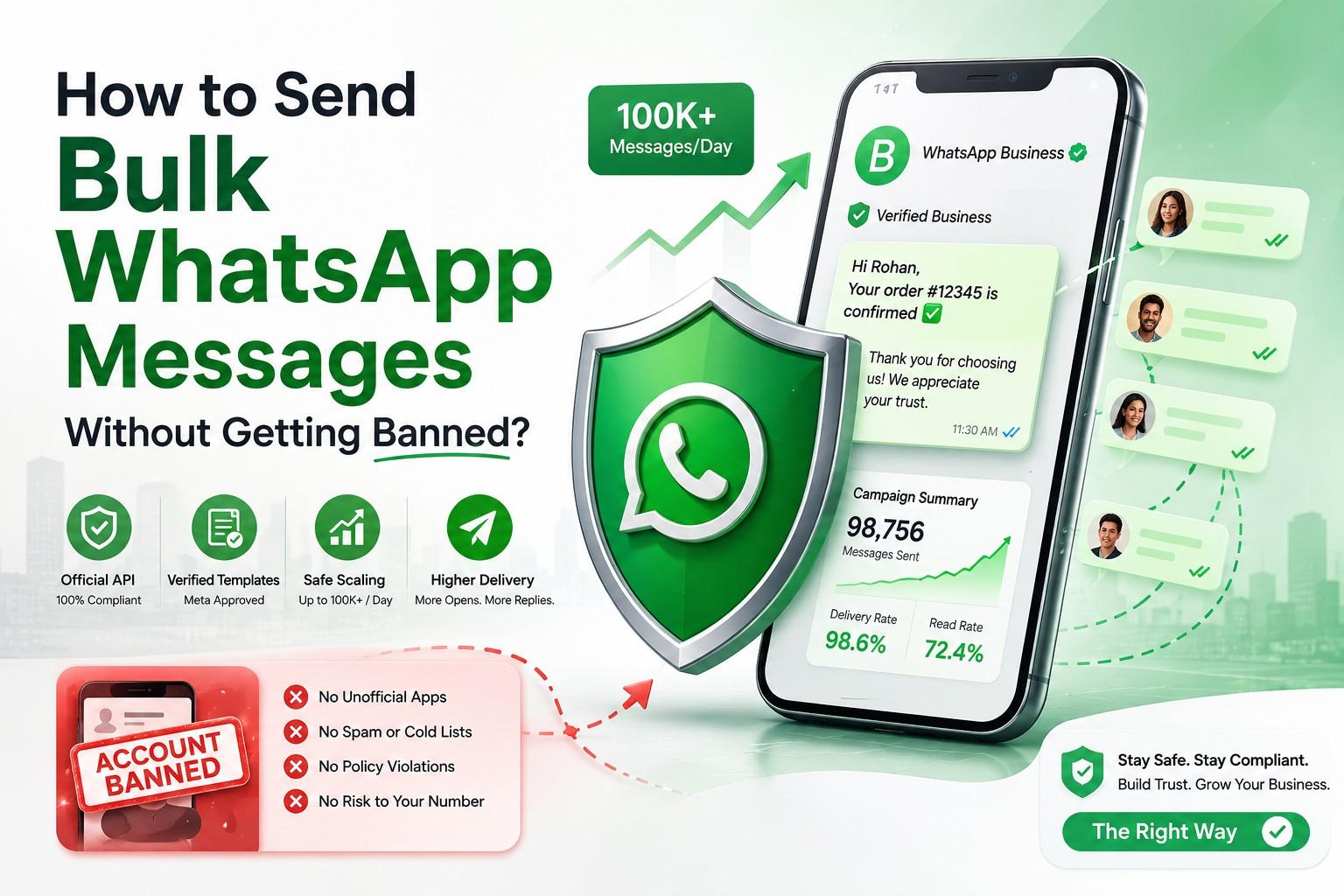
- Sending without consent — the fastest way to get flagged or banned by Meta
- Overusing promotional templates — too many marketing messages hurt your quality rating and delivery rates
- Ignoring the 24-hour session window rule — sending free-form messages outside an active conversation isn’t allowed
- Skipping testing — always run a flow with internal test numbers before pushing it live to real customers
- Treating automation as “set and forget” — messages and flows need periodic review to stay relevant and accurate
Why Businesses Choose DGAS Skyworld for WhatsApp Automation
If you’re setting up WhatsApp automation for your business in India, it’s worth working with a platform that’s built specifically for the compliance and reliability needs of Indian businesses — rather than adapting a global tool after the fact.
DGAS Skyworld is a CPaaS platform that’s been operating in India since 2017, and we’re an official WhatsApp Business API provider — not a reseller layered on top of someone else’s infrastructure. That means direct accountability, transparent pricing, and faster support when something needs attention.
Beyond WhatsApp Business API, our platform brings together the full communication stack businesses actually need under one dashboard:
- WhatsApp Business API — automation, templates, chatbot flows
- SMS API — for transactional and promotional messaging
- RCS Messaging — rich, branded messaging for Android users
- Enterprise Voice Solutions — automated and agent-assisted calling
- Truecaller Messaging — verified business identity on calls and messages
- AI Chatbot — automated conversation handling across channels
- Email API — for transactional and marketing email delivery
Our services are focused entirely on the Indian market — we don’t operate outside India, which means our compliance handling (DLT registration support, TRAI alignment) is built for exactly the regulatory environment your business operates in, not retrofitted from a global product.
Want to see how WhatsApp automation would actually work for your business? Get in touch with our team for a walkthrough — no commitment required, just a clear picture of what’s possible.
Frequently Asked Questions
Is it legal to send automated WhatsApp messages in India?
Yes, as long as you have proper consent from recipients and comply with TRAI regulations, including DLT registration for commercial messaging. Sending without consent or proper registration can lead to message blocking or account restrictions.
What’s the difference between WhatsApp auto-reply and WhatsApp automation?
Auto-reply is a single static message (like an away message) sent when you’re unavailable. Automation is a full workflow with triggers, conditions, and multi-step actions that can handle an entire customer interaction, not just one reply.
Can I send bulk automated messages using the WhatsApp Business App?
No. The free WhatsApp Business App doesn’t support bulk or broadcast automation — for that, you need the WhatsApp Business API, typically accessed through a CPaaS platform.
Do I need DLT registration for WhatsApp automation in India?
Generally yes, if you’re sending commercial messages to customers in India. Your provider should support you through this registration as part of onboarding — check this before signing up with anyone.
What’s the difference between an official WhatsApp API provider and a reseller?
An official provider connects directly to Meta’s infrastructure, offering more transparent pricing, direct support, and fewer dependency layers. A reseller operates through an additional BSP layer, which can mean higher costs and slower support resolution.
How much does WhatsApp Business API automation cost?
Costs vary based on message volume, template category (Marketing, Utility, Authentication), and provider. It’s best to request a direct quote based on your expected message volume rather than relying on generic pricing figures.
Final Thoughts
Automated WhatsApp messages aren’t a nice-to-have anymore — they’re becoming the baseline expectation for how businesses communicate. The right method for you depends entirely on where you are: the Business App works for solo operators, the raw API suits businesses with development resources, and a CPaaS platform is the practical middle ground for everyone else who wants real automation without building it from scratch.
If your business is ready to move past manual replies and missed leads, reach out to DGAS Skyworld — we’ll help you set up compliant, reliable WhatsApp automation built for how Indian businesses actually operate.