How to Send Bulk WhatsApp Messages Without Getting Banned?
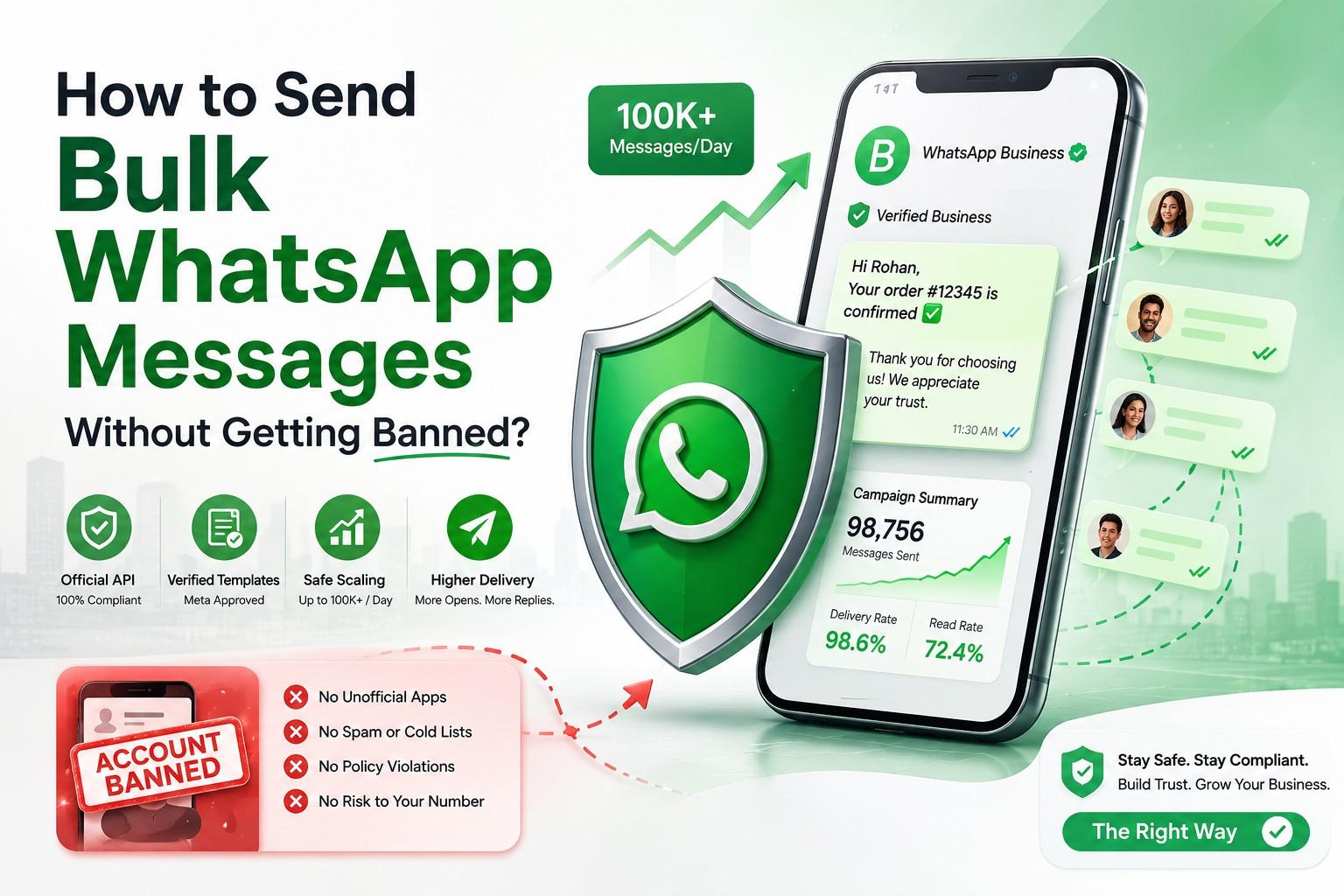
Nine point eight million. That’s roughly how many WhatsApp accounts Meta has been banning every single month in India through 2025 and into 2026, according to its own compliance reports. And if your number does get caught in that net, don’t count on getting it back — only about 1.5% of ban appeals in India are actually reversed.
If you’re planning to run bulk WhatsApp messages for your business, that number should sit with you for a second. WhatsApp works so well for marketing precisely because people trust it — they open messages from friends, family, and doctors on the same screen they’d see a promotional broadcast. Meta protects that trust hard, which means the same channel that can double your response rates compared to email can also cost you your number, your chat history, and every customer conversation tied to it, in one bad week.
This piece walks through what actually gets WhatsApp Business accounts flagged, how the messaging limits work now that Meta has reshuffled the tier system for 2026, and the habits that keep a bulk WhatsApp messaging account healthy long-term.
A few numbers worth knowing before you send anything
- Meta banned close to 9.8–10 million Indian accounts a month on average through late 2025 and early 2026.
- Roughly a quarter to a third of those bans happen before anyone even files a complaint — it’s Meta’s own detection systems catching the pattern first.
- Appeal success rate in India sits around 1.5%. Once you’re out, you’re mostly out.
- Meta now rechecks accounts for tier upgrades every six hours instead of the old 24–48 hour cycle.
- Verified businesses can now go straight to a 100,000-messages-a-day limit — the old 10,000-contact stop along the way has effectively been skipped.
- There’s also a quiet cap most people don’t know about: roughly two marketing messages per user per day, counted across every business messaging that person, not just yours.
None of this is a reason to avoid bulk WhatsApp messaging altogether — it’s still the best-performing channel most Indian businesses have. It’s a reason to do it through the right door.
Why do WhatsApp Business accounts actually get banned?
WhatsApp isn’t looking for a single bad message. It’s watching for patterns that look like abuse, and a few show up again and again:
- Sending the same message to a big, cold list. If a hundred people get the exact same promotional line with zero personalization and no record of consent, that’s the classic spam signature.
- Using apps WhatsApp never approved. GB WhatsApp, WhatsApp Plus, browser tools that auto-click through WhatsApp Web — all of these break the Terms of Service outright, and Meta’s systems are good at spotting them.
- Too many blocks or reports in a short window. A handful of complaints from real users is often enough to trigger a review.
- Messaging numbers that bounce. A list scraped from somewhere or bought off a vendor almost always has dead or invalid numbers mixed in, and that’s an easy tell for spam filters.
- A sudden jump in volume from a quiet number. Going from ten messages a day to two thousand overnight reads as automation, even when the intent is perfectly legitimate.
- Letting your quality rating slide. Every business number gets graded — Green, Yellow, or Red — based on how people respond. Red doesn’t just hurt you; it freezes any chance of moving to a higher sending tier.
WhatsApp Business App or WhatsApp Business API — which one do you need?
| Feature | WhatsApp Business App | WhatsApp Business API |
|---|---|---|
| Best for | Small shops, solo founders, one-on-one chats | Businesses running bulk sends and automated flows |
| Broadcast limit | 256 contacts, and only if they’ve saved your number | Starts at 1,000 unique contacts/day, scales to 100,000+ |
| Personalization | None — everyone sees the same text | Name, order ID, appointment date can all be dropped in |
| Automation | Quick replies, away messages, that’s about it | Chatbots, CRM sync, full workflows |
| Ban risk at volume | High if you try to push past the app’s limits | Low, provided you’re going through an approved provider |
| Reporting | Nothing beyond delivery ticks | Delivery, read, and click tracking |
If you’re messaging more than a couple hundred people a month, or you need to reach someone who’s never saved your business number, the app simply won’t get you there. The API, accessed through a proper CPaaS or BSP partner, is the only route that scales without breaking rules. If you’re still unclear on what the API actually is under the hood, our breakdown on what is WhatsApp API covers that from scratch.
What the 2026 messaging limits actually look like
Here’s where a lot of what’s floating around online is just out of date. Meta reworked the tier system through the first half of 2026, and it doesn’t match the old four-step climb most guides still describe.
| Tier | Daily unique-contact limit | How you get there |
|---|---|---|
| Starting point (unverified) | 250 contacts/day | Set automatically when you register |
| Tier 1 | 1,000 contacts/day | Complete business verification, or hit 2,000 conversations at Medium/High quality within 7 days |
| Next step (2026 shortcut) | 100,000 contacts/day | Verified accounts with a solid quality track record now skip the old 10,000-contact stage entirely |
| Top tier | No cap | Reserved for large senders with a sustained high-quality history |
A handful of details that don’t get repeated often enough:
- Limits belong to your whole Business Portfolio, not to one phone number. Adding a second or third number under the same portfolio doesn’t multiply your sending room — they all draw from one shared limit.
- Reviews happen every six hours now. A well-run account can climb tiers noticeably faster than it could under the older 24–48 hour review window.
- There’s a per-user ceiling on marketing messages — about two a day, added up across every business texting that person, not just you. Go past it and you’ll hit error 131049.
- Service replies inside the 24-hour window start costing money from October 1, 2026. Up to now they’ve been free; plan your budget around that shift.
- Quality still beats everything. A Red rating stops tier progression cold no matter how verified or high-volume your account is.
How to send bulk WhatsApp messages without getting flagged
1. Go through the official API, not a workaround
Every bulk send should run through the actual WhatsApp Business Platform via a Meta-recognized provider. Browser extensions and unofficial “senders” that promise unlimited messaging aren’t a clever shortcut — they’re the single fastest way to lose your number for good.
2. Get real, traceable consent first
Don’t message anyone who hasn’t agreed to hear from you. That agreement can come from a signup form, a checkbox at checkout, a Click-to-WhatsApp ad, or someone texting a keyword like “YES” to opt in — but keep a record of it. If WhatsApp or a regulator ever questions a campaign, that record is what protects you.
3. Submit templates and wait for approval
Any message you’re initiating in bulk needs a template Meta has reviewed and cleared. Write them the way you’d talk to a customer, not the way a spam folder sounds — skip the all-caps urgency and the fake scarcity, because templates like that get rejected before they ever reach anyone. Once a template is approved, you can also queue it for later instead of sending it live — see our guide on how to schedule WhatsApp messages if you want campaigns to go out at a fixed time without you sitting at a screen.
4. Make each message feel like it was written for one person
Drop in the recipient’s name, their order number, their appointment time — whatever’s relevant. A template with variables turns into hundreds of individual messages instead of one obvious blast, and it shows in the numbers: fewer blocks, more replies.
5. Give people an easy way out
WhatsApp has no native unsubscribe button, so build one yourself. A simple “Reply STOP to opt out,” honored the moment someone uses it, keeps frustrated recipients from reporting you just to make it stop.
6. Send in waves, not all at once
Even inside your allowed limit, spacing a campaign out over an hour or two looks like normal business activity. Firing everything in sixty seconds doesn’t. Stay well under that per-user frequency cap, and skip the late-night sends.
7. Check your quality score after every campaign
Log into WhatsApp Manager after each send and look at where you stand. Yellow is a warning, not a crisis — treat it as your cue to rethink targeting or content before the next round goes out, rather than waiting until it turns Red. A verified, blue-tick business profile also tends to earn more trust from recipients before they even read the message — worth reading up on in our post on WhatsApp Blue Tick verification if you haven’t applied yet.
Does DLT/TRAI apply to WhatsApp messaging in India?
This trips up a lot of Indian marketers, and most guides don’t even touch it. TRAI’s DLT registration is an SMS and voice requirement — it has nothing to do with the WhatsApp Business API. WhatsApp runs on Meta’s own template review and business policies, completely separate from the DLT framework.
That said, if your messaging setup includes SMS alongside WhatsApp — and most omnichannel campaigns in India do — your SMS sender ID and templates still need to be registered under TRAI’s DLT rules. Keep the two apart in your head: DLT covers SMS, Meta’s template approval covers WhatsApp. If SMS is part of your stack, our guides on what is SMS API and bulk SMS marketing walk through DLT registration in more detail.
Why the platform behind your WhatsApp API connection matters
Most businesses signing up for WhatsApp Business API don’t realize they’re choosing between two very different kinds of providers. One is a single-channel reseller. The other is a CPaaS platform — Communications Platform as a Service — and the gap between them shows up the moment something goes wrong.
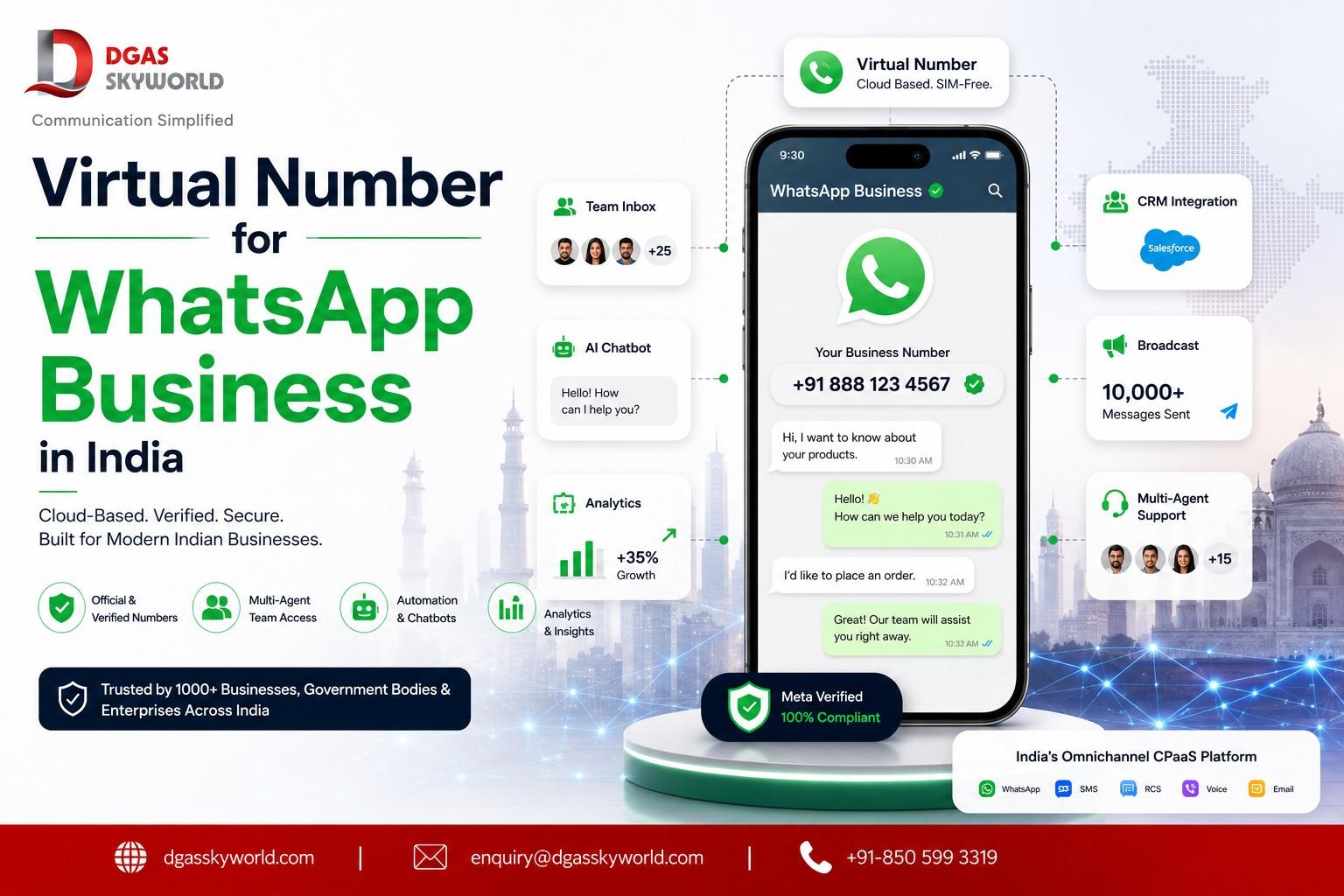
A WhatsApp-only reseller gives you exactly one channel. If that number ever gets restricted, there’s no backup path to your customer. A CPaaS platform bundles WhatsApp API with SMS, RCS, voice, email, and chatbots under one login, one contact database, one set of reports. In practice, that means:
- One consent record works across every channel, instead of separate opt-in lists for WhatsApp, SMS, and email.
- If a WhatsApp message doesn’t land, the same system can fall back to SMS or a voice call automatically — you don’t have to wire that logic together yourself.
- You’re watching quality across all your channels from one dashboard, so a dip on WhatsApp doesn’t leave you blind to how SMS or voice are doing.
- Compliance gets handled the way each channel actually requires — DLT for SMS, template review for WhatsApp — by one account team instead of two separate vendors pointing fingers at each other.
Taking your WhatsApp API from a standalone reseller means you’re stuck with one channel — and if that number ever gets restricted, there’s no second route to reach the same customer. Taking it from a CPaaS platform instead means SMS, Voice, RCS, and Email all live on the same system. One contact list, one consent record, and if a WhatsApp message fails to deliver, the platform can fall back to SMS or a call on its own. Compliance gets easier too, since DLT registration for SMS and WhatsApp template approval are both managed by one team instead of chasing two separate vendors.
This is close to how DGAS Skyworld operates — a CPaaS platform working out of India since 2017. It’s an official WhatsApp Business API provider, not a BSP passing traffic through someone else’s connection, and it runs WhatsApp Business API, SMS API, RCS Messaging, Enterprise Voice Solutions, Truecaller Messaging, AI Chatbot, and Email API on one platform, handling template submissions, consent tracking, and quality monitoring as part of the setup. For businesses combining WhatsApp with SMS or voice outreach in India, that single-platform structure quietly removes most of the risk points covered above. If you’re curious how this all fits under the broader A2P (application-to-person) messaging umbrella, our explainer on A2P messaging is a good next read.
A short checklist before you hit send
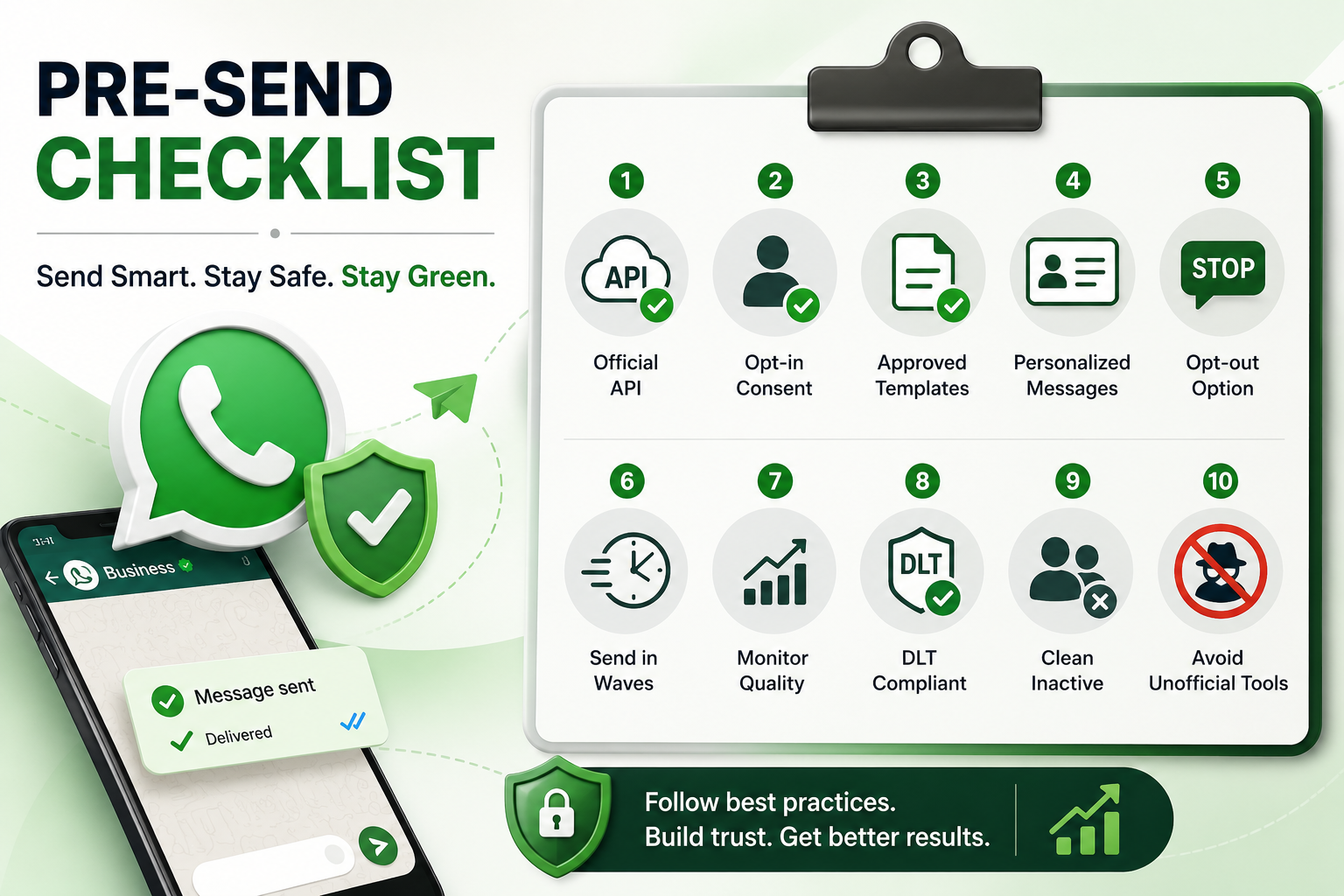
- Route every bulk send through the official WhatsApp Business API via a verified provider
- Keep documented proof of opt-in for every contact on your list
- Get templates approved before using them at scale
- Personalize with real variables instead of one generic block of text
- Put a working opt-out in every promotional message
- Spread sends out instead of firing everything at once
- Check your quality rating after every campaign, not just when something breaks
- Keep DLT registration current for any SMS running alongside WhatsApp
- Clean out contacts who haven’t engaged in months
- Stay away from unofficial senders, scrapers, and modded apps entirely
Questions people usually ask
Is bulk WhatsApp messaging even legal in India?
Yes, provided you’re on the official Business API, sending only to people who’ve opted in, and using templates Meta has approved. The legal and reputational risk shows up when lists are bought or consent is skipped, not from bulk messaging itself.
How many messages can I send a day?
Depends on your tier. A newly verified account starts around 1,000 unique contacts a day, and a well-maintained Green rating can now push that to 100,000 much sooner than it used to under the 2026 tier changes.
Do I need DLT registration for WhatsApp?
No — DLT is a TRAI requirement for SMS and voice. WhatsApp Business API runs on Meta’s own approval process instead.
What’s the quickest way to lose your number?
Combining an unofficial bulk sender with a list of people who never agreed to hear from you. That pairing accounts for most of the bans that happen.
Can a banned number be recovered?
You can file an appeal, but the odds aren’t great — around 1.5% get reversed in India. It’s a much better use of time to build the campaign right the first time than to plan on winning an appeal later.
Want to run WhatsApp campaigns in India without gambling on your number? Book a demo with DGAS Skyworld and see WhatsApp Business API, SMS, RCS, Voice, and Email running on one platform.